

As an Amazon Associate we earn from qualifying purchases. Our deals are community-vetted (Slickdeals + r/buildapcsales), verified to live Amazon listings, and tracked with our own daily price history — never paid placement. Prices change often; always confirm the live price on Amazon. How we pick deals →
Quick Picks
2 TOP CHOICES
Plugable USB-C KVM Switch
USB-C KVM that switches 4K display, keyboard, mouse, and charging between two laptops
Computers: 2
Display: 4K60 HDMI
Plugable USB-C KVM switches your entire desk between two computers with one button press.
Check Today's PriceUGREEN USB 3.0 KVM Switch
Simple USB-only KVM under $25 for sharing keyboard, mouse, and USB devices between two PCs
Computers: 2
Ports: 4 USB 3.0 shared
UGREEN USB KVM is the simplest KVM — it switches USB peripherals (keyboard, mouse, printer, drives) between two computers with a physical button.
Check Today's PriceComparison Table
2 PRODUCTS COMPARED
← Scroll to compare →
| Product | Best For | Key Spec | Score | |
|---|---|---|---|---|
| Best Overall | 2 | 8.9/10 | View on Amazon | |
| Best Budget | 2 | 8.1/10 | View on Amazon |
Quick Summary
| # | Product | Best For | Score | |
|---|---|---|---|---|
| 1 | Plugable USB-C KVM Switch | Best Overall | 8.9/10 | Check Price → |
| 2 | UGREEN USB 3.0 KVM Switch | Best Budget | 8.1/10 | Check Price → |
KVM Docking Switches Reviews
2 PRODUCTS REVIEWED
Plugable USB-C KVM Switch
Best for: USB-C KVM that switches 4K display, keyboard, mouse, and charging between two laptops
Plugable USB-C KVM switches your entire desk between two computers with one button press. 4K60 HDMI output, USB keyboard and mouse, and 60W charging all toggle simultaneously. Hotkey switching via keyboard shortcut means you do not even need to reach for the button. Two-second switch time.
Why we like it
- One-button full desk switching
- 4K60 HDMI output
- Hotkey switching via keyboard
Flaws
- 60W charging — not enough for large laptops
- Two computers max
- Requires USB-C on both computers
Prices checked Jun 28, 2026

UGREEN USB 3.0 KVM Switch
Best for: Simple USB-only KVM under $25 for sharing keyboard, mouse, and USB devices between two PCs
UGREEN USB KVM is the simplest KVM — it switches USB peripherals (keyboard, mouse, printer, drives) between two computers with a physical button. No video switching is included — you handle display switching separately or use a monitor with multiple inputs. At under $25, it solves the most common KVM need cheaply.
Why we like it
- Under $25 for USB sharing
- 4 USB 3.0 ports shared
- Instant physical button switching
Flaws
- No video switching — USB only
- Must switch monitor input manually
- Basic feature set
Prices checked Jun 28, 2026
The Bottom Line
Plugable USB-C KVM switches your full desk between two laptops. Level1Techs supports dual 4K144Hz for enthusiasts. UGREEN USB-only switch shares peripherals under $25.
Best Overall
Plugable USB-C KVM Switch
Our #1 recommendation — the best overall pick in this guide.
Still on the fence? Send a gift card.
Skip the guesswork — a Giftcards.com card lets the recipient pick the exact model they want, delivered instantly.
Looking for more pc peripherals options?
Browse all PC Peripherals guides →How to Choose the Best KVM Docking Switches in 2026
BUYING GUIDE
Full KVM vs USB-Only Switching
A full KVM switches display, keyboard, and mouse together. A USB-only switch handles peripherals but not video — you toggle your monitor's input separately. Full KVMs cost more but provide seamless switching. USB-only switches are cheaper and work if your monitor has picture-in-picture or easy input switching.
Best Overall
Plugable USB-C KVM Switch
A great example of this in practice — check current price on Amazon.
FAQ
COMMON QUESTIONS
Head-to-Head Comparisons
COMPARE TOP PICKS SIDE BY SIDE
Browse More Guides
RELATED GUIDES




Related Articles
FROM OUR EDITORIAL TEAM
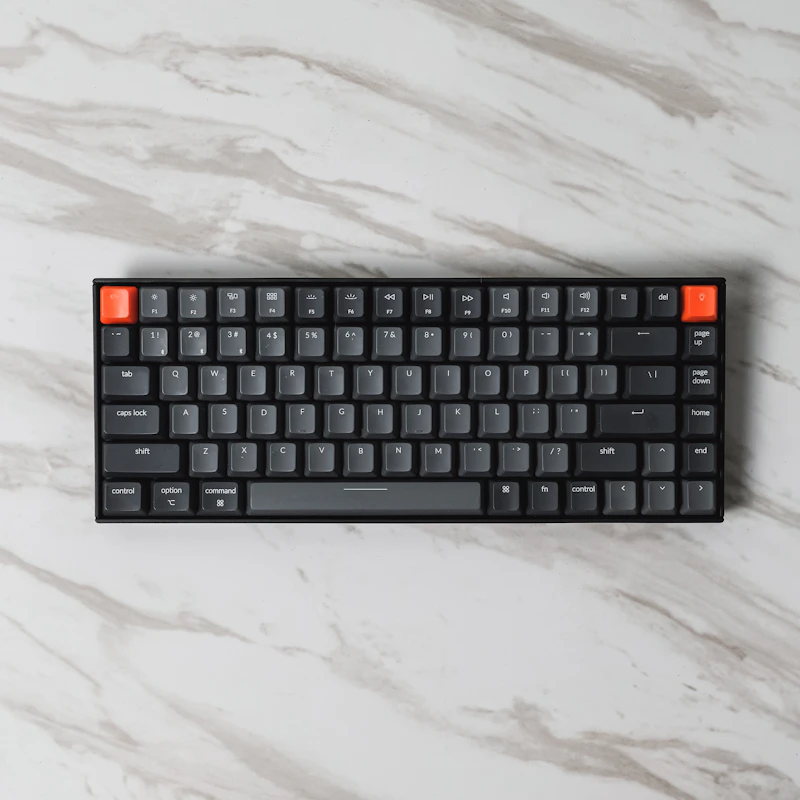
Best Budget Mechanical Keyboards Under $50
Mechanical keyboards used to cost $150+. Now you can get genuine mechanical switches, quality keycaps, and premium typing feel for under $50.

What to Look for in a Laptop Docking Station
A docking station transforms your laptop into a desktop with one cable. Here's how to choose the right dock and avoid compatibility headaches.

How to Stop Your Smart Home From Disconnecting
Smart lights going offline, switches becoming unresponsive, and sensors dropping connection. Here's how to fix the most common smart home reliability issues.