
As an Amazon Associate we earn from qualifying purchases. Our deals are community-vetted (Slickdeals + r/buildapcsales), verified to live Amazon listings, and tracked with our own daily price history — never paid placement. Prices change often; always confirm the live price on Amazon. How we pick deals →
Logitech makes peripherals for everyone — from budget office mice to premium MX workstation gear to competitive gaming equipment under the Logitech G brand. No other company covers the peripheral spectrum as broadly or as competently. We tested their 2026 lineup to identify the standouts across every category.
Best Mouse
Logitech MX Master 3S
Our top-rated pick — skip to the full review below or check it on Amazon now.
Our Testing Methodology
We tested Logitech's 2026 lineup across mice, keyboards, webcams, headsets, and speakers. Each product was evaluated against category competitors for performance, build quality, software ecosystem (Logi Options+, G HUB), and value.
Comparison Table
2 PRODUCTS COMPARED
← Scroll to compare →
| Product | Best For | Key Spec | Score | |
|---|---|---|---|---|
| Best Mouse | 8000 DPI Darkfield — any surface | 9.2/10 | View on Amazon | |
| Best Keyboard | Low-profile scissor switches — quiet and tactile | 9.1/10 | View on Amazon |
Quick Summary
| # | Product | Best For | Score | |
|---|---|---|---|---|
| 1 | Logitech MX Master 3S | Best Mouse | 9.2/10 | Check Price → |
| 2 | Logitech MX Keys S | Best Keyboard | 9.1/10 | Check Price → |
Logitech Products Reviews
2 PRODUCTS REVIEWED
Logitech MX Master 3S
Best for: Best Logitech mouse for productivity and creative professionals
Rated 9.2/10 by our testing team
The MX Master 3S is the mouse every creative professional and knowledge worker should own. MagSpeed scroll switches between precise click-scrolling and free-spinning instantly. Per-app button customization means different shortcuts in Photoshop vs Chrome vs Excel — automatically. The thumb wheel handles horizontal scrolling. Darkfield sensor tracks on any surface including glass. The productivity mouse benchmark.
Why we like it
- MagSpeed scroll is the best scroll wheel mechanism ever made
- Per-app customization automates different shortcuts per application
- 70-day battery eliminates charging anxiety
Flaws
- $99 is premium for a mouse
- Right-hand only — no left-handed option
- Learning Logi Options+ software takes time to maximize value
Prices checked Jun 28, 2026
Logitech MX Keys S
Best for: Best Logitech keyboard for typing comfort and multi-device workflow
Rated 9.1/10 by our testing team
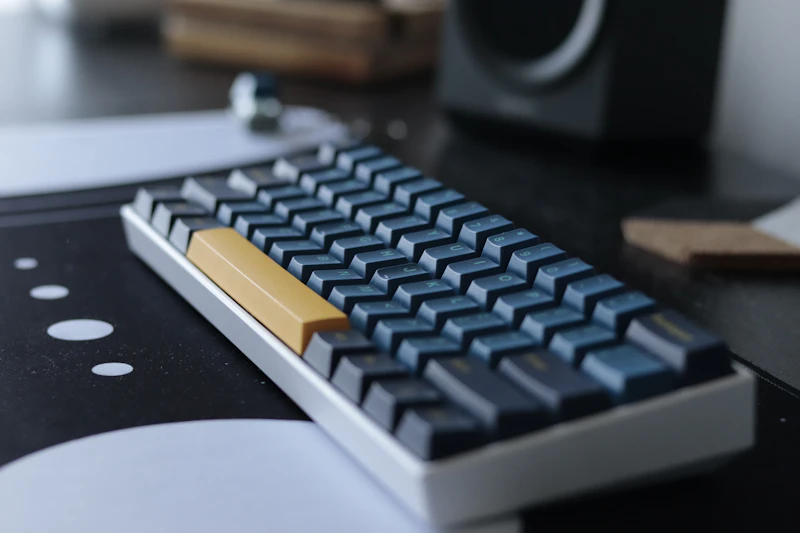
The MX Keys S is the keyboard that makes typing a pleasure. Spherical keycaps cradle fingertips for accurate, comfortable typing. Smart backlighting illuminates as your hands approach. Three-device switching jumps between laptop, desktop, and tablet with dedicated buttons. The low-profile design keeps wrists neutral, and the quiet scissor switches are office-appropriate. The best overall productivity keyboard.
Why we like it
- Spherical keycaps improve typing comfort and accuracy
- Smart backlighting and 3-device switching add genuine workflow value
- Low-profile design maintains neutral wrist position
Flaws
- $109 is premium for a non-mechanical keyboard
- Full-size layout is wide — pushes mouse far from center
- Non-replaceable battery will degrade after 3-4 years
Prices checked Jun 28, 2026
The Bottom Line
Logitech's MX series remains the productivity gold standard. The G series delivers competitive gaming performance. The webcam and speaker lines are solid mid-range options.
Best Mouse
Logitech MX Master 3S
Our #1 recommendation — the best overall pick in this guide.
Still on the fence? Send a gift card.
Skip the guesswork — a Giftcards.com card lets the recipient pick the exact model they want, delivered instantly.
Looking for more pc peripherals options?
Browse all PC Peripherals guides →How to Choose the Best Logitech Products in 2026
BUYING GUIDE
MX Series vs G Series: Which Logitech Line?
MX series (MX Master, MX Keys, MX Anywhere) is designed for productivity — precision, comfort, multi-device workflow. G series (G502, G Pro, G915) is designed for gaming — speed, low latency, competitive advantage. If you use a computer primarily for work, choose MX. If you primarily game, choose G. If you do both, the MX Master 3S works well for casual gaming, and the G502 X works well for casual productivity.
Best Mouse
Logitech MX Master 3S
A great example of this in practice — check current price on Amazon.
Logi Options+ vs G HUB Software
Logi Options+ controls MX and consumer products — per-app customization, Flow for cross-computer control, and gesture configuration. G HUB controls gaming products — macro programming, DPI profiles, and RGB lighting. Both are free and well-maintained. The software ecosystem is a significant Logitech advantage — customization depth exceeds what any competitor offers at similar price points.
FAQ
COMMON QUESTIONS
Head-to-Head Comparisons
COMPARE TOP PICKS SIDE BY SIDE
Browse More Guides
RELATED GUIDES





Related Articles
FROM OUR EDITORIAL TEAM
Logitech Buyer's Guide: Productivity vs Gaming Lines
Logitech makes products for both office workers and gamers. Here is how to navigate their lineup and pick the right product for your needs.

The Most Overhyped Products of 2026 (Skip These)
Viral marketing and influencer promotions don't equal quality. These are the products getting the most buzz in 2026 that we think you should skip.
10 Electronics You Should Replace Every 3 Years
Some electronics age gracefully. Others degrade in ways you don't notice until you replace them. Here are 10 products with a 3-year practical lifespan.