
As an Amazon Associate we earn from qualifying purchases. Our deals are community-vetted (Slickdeals + r/buildapcsales), verified to live Amazon listings, and tracked with our own daily price history — never paid placement. Prices change often; always confirm the live price on Amazon. How we pick deals →
Even the best monitor is only as accurate as its calibration. We tested the leading colorimeters and spectrophotometers across IPS, OLED, and mini-LED panels to find the tools that deliver the most reliable profiles.
Best Overall
Calibrite ColorChecker Display Pro
Our top-rated pick — skip to the full review below or check it on Amazon now.
Quick Picks
2 TOP CHOICES
Calibrite ColorChecker Display Pro
Photographers, video editors, and graphic designers
Type: Colorimeter
Accuracy: Delta E < 0.5
The Display Pro delivers spectrophotometer-rivaling accuracy in a compact colorimeter form factor.
Check Today's PriceX-Rite i1Studio
Print professionals who need monitor and printer profiling
Type: Spectrophotometer
Functions: Monitor + Printer + Projector
The i1Studio is the Swiss Army knife of color management.
Check Today's PriceOur Testing Methodology
We calibrated 10 different monitors with each tool, measured resulting Delta E with a reference spectrophotometer, and evaluated software usability, speed, and ambient light compensation. Testing spanned three weeks of real-world use.
Comparison Table
3 PRODUCTS COMPARED
← Scroll to compare →
| Product | Best For | Key Spec | Score | |
|---|---|---|---|---|
| Best Overall | Colorimeter | 9.1/10 | View on Amazon | |
| Best Premium | Spectrophotometer | 8.8/10 | View on Amazon | |
| Best Value | Colorimeter | 8.2/10 | View on Amazon |
Quick Summary
| # | Product | Best For | Score | |
|---|---|---|---|---|
| 1 | Calibrite ColorChecker Display Pro | Best Overall | 9.1/10 | Check Price → |
| 2 | X-Rite i1Studio | Best Premium | 8.8/10 | Check Price → |
| 3 | Datacolor SpyderX2 Elite | Best Value | 8.2/10 | Check Price → |
Monitor Calibration Tools Reviews
3 PRODUCTS REVIEWED
Calibrite ColorChecker Display Pro
Best for: Photographers, video editors, and graphic designers
Rated 9.1/10 by our testing team
The Display Pro delivers spectrophotometer-rivaling accuracy in a compact colorimeter form factor. It handles wide-gamut and HDR displays with ease, and the updated CCSS correction files keep it accurate across panel technologies.
Why we like it
- Extremely accurate with updated CCSS profiles
- Fast calibration under three minutes
- Works with DisplayCAL and Calman in addition to bundled software
Flaws
- Struggles slightly with very low-brightness OLED measurements
- Ambient light filter is basic
- No printer profiling capability
Prices checked Jun 28, 2026
X-Rite i1Studio
Best for: Print professionals who need monitor and printer profiling
The i1Studio is the Swiss Army knife of color management. As a spectrophotometer, it doesn't drift like colorimeters and handles every panel technology without needing correction files. Printer profiling makes it a must for print workflows.
Why we like it
- Spectrophotometer doesn't need correction files for new panel types
- Profiles monitors, printers, projectors, and scanners
- No drift over time like colorimeters
Flaws
- Calibration takes longer at 5-8 minutes
- Higher price point around $450
- Software interface feels dated
Prices checked Jun 28, 2026
Datacolor SpyderX2 Elite
Best for: Hobbyist photographers and first-time calibrators
The SpyderX2 Elite makes calibration dead simple with a guided wizard and fast measurements. Accuracy is solid for sRGB and Adobe RGB workflows, though it falls behind the Calibrite for wide-gamut DCI-P3 displays.
Why we like it
- Fastest calibration at under two minutes
- Intuitive step-by-step software wizard
- Excellent price under $200
Flaws
- Less accurate on wide-gamut DCI-P3 displays
- No spectrophotometer mode for printer profiling
- Limited third-party software support
Prices checked Jun 28, 2026
The Bottom Line
The Calibrite ColorChecker Display Pro is the best all-around calibration tool for most users. The X-Rite i1Studio steps up to spectrophotometer-level accuracy for print professionals who also need to profile printers.
Best Overall
Calibrite ColorChecker Display Pro
Our #1 recommendation — the best overall pick in this guide.
Still on the fence? Send a gift card.
Skip the guesswork — a Giftcards.com card lets the recipient pick the exact model they want, delivered instantly.
Looking for more monitors & displays options?
Browse all Monitors & Displays guides →How to Choose the Best Monitor Calibration Tools in 2026
BUYING GUIDE
Colorimeter vs Spectrophotometer
Colorimeters are faster and cheaper but use filters that can become inaccurate with new panel technologies. Spectrophotometers measure the full light spectrum and remain accurate regardless of display type, but cost more and take longer. For monitor-only work, a good colorimeter is sufficient.
Best Overall
Calibrite ColorChecker Display Pro
A great example of this in practice — check current price on Amazon.
How Calibration Software Matters
The bundled software matters as much as the hardware. Look for tools that support your specific workflow — DisplayCAL for open-source flexibility, Calman for broadcast standards, or the manufacturer's own app for simplicity. Ensure the device supports your monitor's color space targets.
FAQ
COMMON QUESTIONS
Head-to-Head Comparisons
COMPARE TOP PICKS SIDE BY SIDE
Browse More Guides
RELATED GUIDES
Related Articles
FROM OUR EDITORIAL TEAM
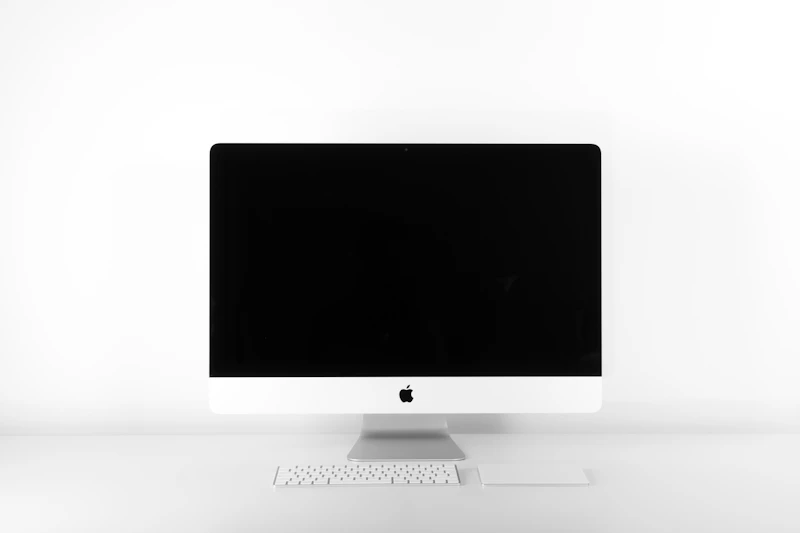
Low Vision Monitors: Display Settings and Hardware for Maximum Visibility
The right monitor and display settings can make computing comfortable for people with low vision. We cover screen size, resolution, color settings, and specialized displays.

Guide: OLED vs Mini-LED Monitors: Which Display Is Better in 2026 (This Week)
Guide: OLED vs Mini-LED Monitors: Which Display Is Better in 2026 (This Week) — expert analysis and tested recommendations from BestElectronicsReviewed.
Updated: OLED vs Mini-LED Monitors: Which Display Is Better in 2026
Updated: OLED vs Mini-LED Monitors: Which Display Is Better in 2026 — expert analysis and tested recommendations from BestElectronicsReviewed.