
As an Amazon Associate we earn from qualifying purchases. Our deals are community-vetted (Slickdeals + r/buildapcsales), verified to live Amazon listings, and tracked with our own daily price history — never paid placement. Prices change often; always confirm the live price on Amazon. How we pick deals →
A NAS (Network Attached Storage) is a private cloud you own — a networked storage device that backs up every computer and phone in your house, streams media to your TV, and stores files accessible from anywhere in the world. Unlike external hard drives (which need to be plugged into a computer to access), a NAS stays on your network 24/7. The 2026 NAS market spans from $150 single-bay beginner devices to professional multi-bay systems that rival enterprise storage — all managed through elegant web interfaces. Whether you're a home photographer protecting irreplaceable photos or a power user building a Plex media server, there's a NAS solution here.
Best Overall
Synology DiskStation DS223 2-Bay (Diskless)
Our top-rated pick — skip to the full review below or check it on Amazon now.
Quick Picks
1 TOP CHOICES

Synology DiskStation DS223 2-Bay (Diskless)
Best 2-bay NAS for home users — the most user-friendly NAS software with excellent app ecosystem
Bays: 2 (diskless — add your own drives)
CPU: Realtek RTD1619B Quad-core 1.7GHz
Synology's DS223 is the recommended first NAS for home users who want powerful functionality with manageable complexity.
Check Today's PriceOur Testing Methodology
We evaluated each NAS for file transfer speed (SMB over Gigabit and 2.5GbE), CPU performance under transcoding loads, app ecosystem quality, setup complexity, power consumption, noise levels, and upgrade path. Hard drives were tested for NAS-specific workloads including always-on spinup cycles and vibration tolerance.
Comparison Table
10 PRODUCTS COMPARED
← Scroll to compare →
| Product | Best For | Key Spec | Score | |
|---|---|---|---|---|
| Best Overall | 2 (diskless — add your own drives) | 9.3/10 | View on Amazon | |
| Best for Power Users | 4 (diskless) | 9.3/10 | View on Amazon | |
| Best QNAP Budget | 2 (diskless) | 9/10 | View on Amazon | |
| Best Plug-and-Play | 4TB (drive included) | 8.5/10 | View on Amazon | |
| Best NAS Hard Drive | 4TB | 9.2/10 | View on Amazon | |
| Best WD NAS Drive | 4TB | 9.2/10 | View on Amazon | |
| Best for High-Speed Transfer | 2 (diskless) | 9.2/10 | View on Amazon | |
| Best Budget Performance | 2 (diskless) | 9/10 | View on Amazon | |
| Best Pre-Loaded NAS | 4TB (drives included) | 8.3/10 | View on Amazon | |
| Best Starter / Budget | 1 (diskless) | 8.8/10 | View on Amazon |
Quick Summary
| # | Product | Best For | Score | |
|---|---|---|---|---|
| 1 | Synology DiskStation DS223 2-Bay (Diskless) | Best Overall | 9.3/10 | Check Price → |
| 2 | Synology DiskStation DS423+ 4-Bay (Diskless) | Best for Power Users | 9.3/10 | Check Price → |
| 3 | QNAP TS-233 2-Bay Desktop NAS (Diskless) | Best QNAP Budget | 9/10 | Check Price → |
| 4 | WD My Cloud Home 4TB Personal Cloud | Best Plug-and-Play | 8.5/10 | Check Price → |
| 5 | Seagate IronWolf 4TB NAS Hard Drive | Best NAS Hard Drive | 9.2/10 | Check Price → |
NAS Drives Reviews
10 PRODUCTS REVIEWED
Synology DiskStation DS223 2-Bay (Diskless)
Best for: Best 2-bay NAS for home users — the most user-friendly NAS software with excellent app ecosystem
Rated 9.3/10 by our testing team
Synology's DS223 is the recommended first NAS for home users who want powerful functionality with manageable complexity. DSM (DiskStation Manager) software is widely considered the best NAS operating system — with an interface that looks and feels like a web-based desktop OS. Synology Drive (Dropbox-like), Synology Photos (Google Photos alternative), and Active Backup for Business cover home backup comprehensively. The Package Center app store includes Plex, Jellyfin, surveillance apps, and hundreds of self-hosted services. Add two WD Red Plus 4TB drives for a complete 4TB RAID 1 protected home NAS.
If you want a NAS that works reliably and doesn't require a technical background, Synology DS223 + two WD Red Plus 4TB is the answer.
Why we like it
- DSM software — best NAS OS for usability
- Synology Drive + Photos: replaces Dropbox + Google Photos
- Large app ecosystem via Package Center
- Extensive online documentation and community support
Flaws
- 1GbE only — no 2.5GbE for faster transfers
- Diskless — drives sold separately ($80-100 each for 4TB NAS drives)
- Limited transcoding CPU vs QNAP for heavy Plex use
Prices checked Jun 28, 2026
Synology DiskStation DS423+ 4-Bay (Diskless)
Best for: Best 4-bay NAS for Plex media servers, virtual machines, and multi-user access
Rated 9.3/10 by our testing team
The DS423+ scales Synology's excellent DSM to 4 bays with an Intel Celeron processor capable of hardware-accelerated 4K video transcoding — the most important capability for Plex media server use. Hardware transcoding means Plex can convert 4K H.265 to 1080p H.264 for older TVs and remote streaming without taxing the CPU. Dual 1GbE ports enable link aggregation for higher throughput. Expandable RAM supports more concurrent users and virtual machines.
Why we like it
- Hardware-accelerated 4K Plex transcoding — critical for media servers
- 4 bays = large capacity expandability (up to 4×20TB)
- Intel Celeron performs significantly better than ARM-based alternatives
- RAM expandable to 6GB for VMs and more apps
Flaws
- Expensive diskless — drives add significant total cost
- 2× 1GbE (not 2.5GbE) limits single-connection transfer speed
- Power consumption higher than 2-bay units
Prices checked Jun 28, 2026
Get deals like these in your inbox
Weekly picks, price drops, and exclusive deals — no spam.

QNAP TS-233 2-Bay Desktop NAS (Diskless)
Best for: Best QNAP 2-bay NAS — lower price than Synology with solid QTS software for advanced users
Rated 9/10 by our testing team
QNAP's TS-233 offers comparable hardware to the Synology DS223 at a lower price. QTS software is more powerful and feature-rich than DSM for advanced users — better virtualization, more network configuration options, and a broader app center. The trade-off: QTS is more complex to navigate than DSM, and QNAP has historically had more security vulnerability disclosures (keep firmware updated). For users who want to explore advanced NAS features at lower cost, the TS-233 is excellent value.
Why we like it
- Lower price than comparable Synology unit
- QTS offers more advanced features than DSM for power users
- Same Realtek CPU as Synology DS223
- Large QNAP app center
Flaws
- QTS is more complex than Synology DSM for beginners
- QNAP has more frequent security vulnerability disclosures
- Community support smaller than Synology
Prices checked Jun 28, 2026

WD My Cloud Home 4TB Personal Cloud
Best for: Best NAS for non-technical users — comes with drives, works out of box like a personal Dropbox
WD My Cloud Home is the only NAS in this guide that comes with drives pre-installed and ready to use. Plug it into your router, install the app, and within 5 minutes it's automatically backing up photos from all phones in the household. No configuration, no diskless setup process, no command line. Perfect for non-technical users who want automatic photo backup and family file sharing without learning NAS management. Note: single drive means no RAID protection — make an offsite backup of important files.
Why we like it
- Comes with drives — ready to use immediately
- Auto photo backup from all phones — no setup
- Easiest NAS experience available
- Works as personal Dropbox alternative for families
Flaws
- Single drive — no RAID redundancy
- Limited advanced features vs Synology/QNAP
- WD My Cloud has had past security incidents — keep firmware updated
Prices checked Jun 28, 2026

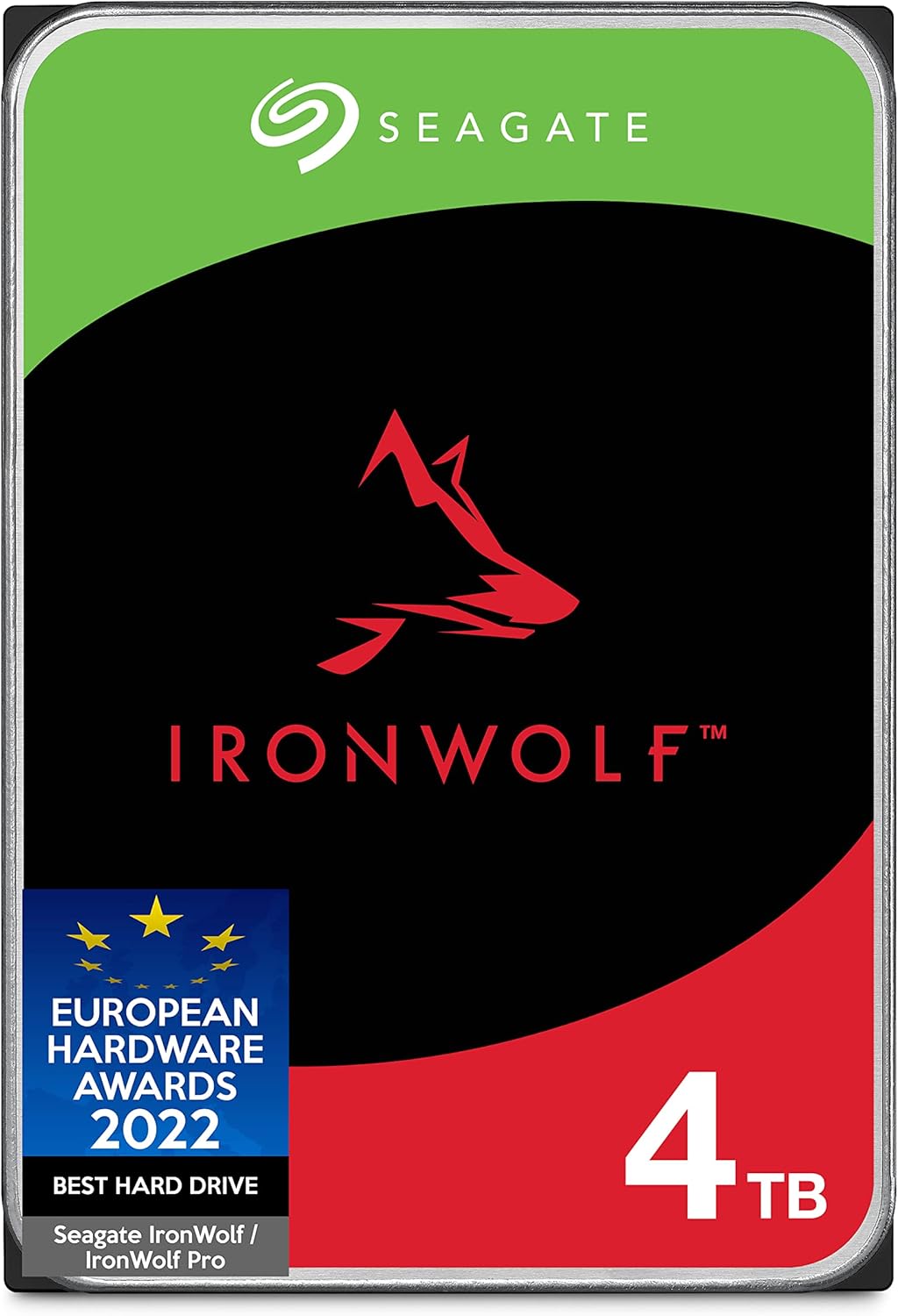
Seagate IronWolf 4TB NAS Hard Drive
Best for: Best hard drive for 2-bay NAS — NAS-optimized 4TB with 3-year warranty and vibration compensation
Rated 9.2/10 by our testing team
Seagate IronWolf is the gold standard for NAS hard drives. Rated for 24/7 operation and 180TB/year workload — 3× the workload rating of desktop drives. AgileArray technology compensates for the vibration caused by multiple drives spinning near each other in a NAS enclosure. The 3-year warranty includes IronWolf Health Management monitoring to detect problems before drive failure. Two 4TB IronWolfs in a 2-bay Synology or QNAP gives 4TB of RAID 1 protected storage.
Why we like it
- NAS-rated for 24/7 operation — won't fail prematurely like desktop drives
- 180TB/year workload rating handles intensive use
- AgileArray vibration compensation for multi-drive NAS
- 3-year warranty
Flaws
- HDD slower than SSD for random read/write
- Power consumption and heat during operation
- Add-on to NAS purchase — plan for $85-100 per drive
Prices checked Jun 28, 2026
WD Red Plus 4TB NAS Internal Hard Drive
Best for: Best WD NAS hard drive — CMR NAS-optimized with NASware 3.0 technology
Rated 9.2/10 by our testing team
WD Red Plus is the main competitor to Seagate IronWolf, and it comes down to personal preference and price at time of purchase. WD Red Plus uses CMR (Conventional Magnetic Recording) — important to verify as WD also makes a 'WD Red' (without 'Plus') that uses SMR recording which is slower and less suitable for NAS. NASware 3.0 technology optimizes for NAS environments. Two WD Red Plus drives are the standard pairing for Synology and QNAP 2-bay units.
Why we like it
- CMR recording — faster than SMR for NAS workloads
- NASware 3.0 NAS optimization
- 3-year warranty
- Strong brand trust in the storage market
Flaws
- Ensure you get 'WD Red Plus' (CMR) not 'WD Red' (SMR)
- Similar performance to IronWolf — choose on price
- HDD speed limitations vs SSD
Prices checked Jun 28, 2026

ASUSTOR Lockerstor 2 Gen2 AS6702T (Diskless)
Best for: Best NAS for fast file transfers — 2.5GbE networking and Intel Celeron for power users
Rated 9.2/10 by our testing team
The ASUSTOR Lockerstor 2 Gen2 is designed for users who've outgrown 1GbE speeds. Dual 2.5GbE ports deliver 2.5× faster transfer than standard Gigabit — essential if you're moving large video files, VMware datastores, or 4K RAW footage regularly. The Intel Celeron N5105 is faster than ARM-based alternatives for CPU-intensive tasks. HDMI output enables direct TV connection without streaming hardware. The PCIe slot allows future 10GbE network card installation.
Why we like it
- 2× 2.5GbE — 2.5× faster than standard 1GbE NAS
- Intel Celeron N5105 handles Plex transcoding and VMs
- HDMI output for direct TV connection
- PCIe slot for 10GbE upgrade
Flaws
- Requires 2.5GbE router or switch to benefit from speed
- ASUSTOR ADM software less polished than Synology DSM
- More expensive than comparable Synology units
Prices checked Jun 28, 2026

TerraMaster F2-423 2-Bay NAS (Diskless)
Best for: Best budget NAS with Intel Celeron and 2.5GbE — high performance at lower price than Synology
Rated 9/10 by our testing team
TerraMaster F2-423 offers Intel Celeron + 2.5GbE at a lower price than ASUSTOR and Synology with comparable hardware. The Intel Celeron N5105 handles Plex transcoding well. 2.5GbE single port provides fast transfers to a modern router without needing a separate 2.5GbE switch. TOS software is less mature than Synology DSM but covers the key home NAS use cases. For technical users who prioritize value and hardware specs over software polish, the F2-423 is compelling.
Why we like it
- Intel Celeron N5105 at lower price than competitors
- 2.5GbE single port for fast transfers
- 4GB RAM included
- Good value hardware-to-price ratio
Flaws
- TOS software less mature than Synology DSM or QNAP QTS
- Smaller community and fewer app integrations
- TerraMaster brand less well-established for long-term support confidence
Prices checked Jun 28, 2026

Buffalo LinkStation 520 4TB
Best for: Best pre-loaded 2-bay NAS with drives included — ready to use, RAID support
The Buffalo LinkStation 520 ships with 4TB (two 2TB drives) pre-installed. Unlike WD My Cloud (no RAID), the LinkStation 520 supports RAID 1 mirroring from setup — giving you 2TB of protected storage against drive failure with the included drives. For users who want a complete, bundled NAS solution with RAID protection without separate drive purchasing, the LinkStation 520 delivers simplicity with data protection. Buffalo's NAS Navigator software is straightforward for basic setup.
Why we like it
- Ships with drives pre-installed — no separate purchase
- RAID 1 support for data protection included in package
- Ready to use out of box without drive selection knowledge
- Trusted Buffalo brand
Flaws
- Older ARM processor — slow for transcoding
- No hardware-accelerated Plex transcoding
- Less feature-rich software than Synology or QNAP
Prices checked Jun 28, 2026

Synology DiskStation DS124 1-Bay (Diskless)
Best for: Best entry-level NAS for beginners — 1-bay Synology with DSM at the lowest price
The DS124 is the most affordable way to experience Synology DSM. Single-bay means no RAID redundancy, but it's adequate as a primary NAS if you maintain a separate backup (cloud or another drive). At $150, it's the lowest entry point to Synology's ecosystem — same DSM OS, same app ecosystem (Synology Drive, Photos, Active Backup), same package center. Add one WD Red Plus 4TB drive for ~$85 more and you have a complete 4TB home NAS for under $235 total.
Why we like it
- Lowest price entry to Synology DSM ecosystem
- Same DSM OS and app ecosystem as more expensive units
- Compact and power-efficient
- Easy upgrade path — DSM skill transfers to larger Synology units
Flaws
- 1 bay — no RAID redundancy (single drive failure = data loss)
- 1GB RAM — limits multi-user and multi-app performance
- No expansion bays for future storage growth
Prices checked Jun 28, 2026
The Bottom Line
Synology makes the best NAS for most home users — their DSM operating system is the most user-friendly and best-supported in the category, with excellent backup apps for Windows, Mac, and iOS. For raw performance at a lower price, QNAP's QTS software is powerful but more complex. WD My Cloud is the plug-and-play option for users who just want automatic backup.
Best Overall
Synology DiskStation DS223 2-Bay (Diskless)
Our #1 recommendation — the best overall pick in this guide.
Still on the fence? Send a gift card.
Skip the guesswork — a Giftcards.com card lets the recipient pick the exact model they want, delivered instantly.
Looking for more charging & storage options?
Browse all Charging & Storage guides →How to Choose the Best NAS Drives in 2026
BUYING GUIDE
Buying Guide
Diskless vs. pre-loaded: diskless NAS units ship without hard drives — you purchase the drives separately and install them. This gives flexibility to choose the right drive capacity and brand. Pre-loaded NAS units (WD My Cloud) ship ready to use but offer less customization. Drive selection: use NAS-optimized drives (WD Red Plus, Seagate IronWolf) designed for 24/7 operation — consumer desktop drives are not rated for always-on NAS use. RAID 1 (mirroring) requires two identical drives but protects against one drive failure. Single-bay has no redundancy — a drive failure means data loss (use for backup target, not sole copy).
Best Overall
Synology DiskStation DS223 2-Bay (Diskless)
A great example of this in practice — check current price on Amazon.
FAQ
COMMON QUESTIONS
Head-to-Head Comparisons
COMPARE TOP PICKS SIDE BY SIDE
Synology DiskStation DS223 2-Bay (Diskless) vs Synology DiskStation DS423+ 4-Bay (Diskless)
9.3/10 vs 9.3/10 — Close call
Synology DiskStation DS223 2-Bay (Diskless) vs QNAP TS-233 2-Bay Desktop NAS (Diskless)
9.3/10 vs 9/10 — Clear winner
Synology DiskStation DS423+ 4-Bay (Diskless) vs QNAP TS-233 2-Bay Desktop NAS (Diskless)
9.3/10 vs 9/10 — Clear winner
Browse More Guides
RELATED GUIDES





Related Articles
FROM OUR EDITORIAL TEAM

Home Battery Storage: Tesla Powerwall vs Enphase vs Generac Compared
Home batteries store solar energy and provide backup power during outages. We compare the three leading systems across capacity, cost, and integration.
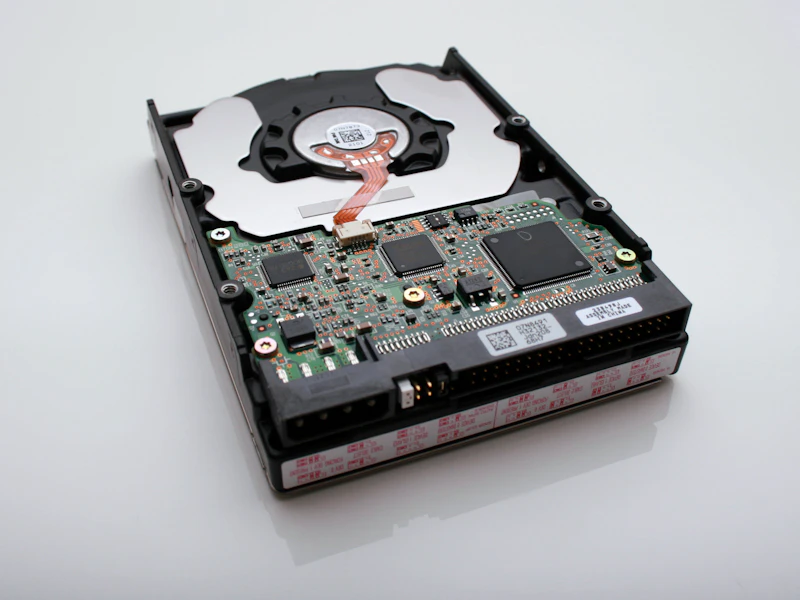
External SSD vs External HDD: Which Storage Is Right?
External storage comes in two types: fast and expensive (SSD) or slow and cheap (HDD). Here's when each makes sense and the best options in both categories.
Backup Power for Your Home: Generators vs Battery Systems vs Solar
Power outages are becoming more frequent. We compare gas generators, battery backup systems, and solar with storage for keeping your home running when the grid goes down.