Best RAM for Desktops 2026: DDR5 vs DDR4 Buyer's Guide

As an Amazon Associate we earn from qualifying purchases. Our deals are community-vetted (Slickdeals + r/buildapcsales), verified to live Amazon listings, and tracked with our own daily price history — never paid placement. Prices change often; always confirm the live price on Amazon. How we pick deals →
Comparison Table
4 PRODUCTS COMPARED
← Scroll to compare →
| Product | Best For | Key Spec | Score | |
|---|---|---|---|---|
| Best DDR5 Value | DDR5-5600 CL36 | 8.6/10 | View on Amazon | |
| Best DDR5 Performance | DDR5-6000 CL36 | 8.8/10 | View on Amazon | |
| Best DDR5 Tight Timings | DDR5-6000 CL30 | 8.3/10 | View on Amazon | |
| Best DDR4 (Legacy Builds) | DDR4-3200 CL16 | 8.1/10 | View on Amazon |
Quick Summary
| # | Product | Best For | Score | |
|---|---|---|---|---|
| 1 | Corsair Vengeance DDR5 32GB (2x16GB) 5600MHz | Best DDR5 Value | 8.6/10 | Check Price → |
| 2 | G.Skill Trident Z5 RGB DDR5 32GB (2x16GB) 6000MHz CL36 | Best DDR5 Performance | 8.8/10 | Check Price → |
| 3 | Kingston Fury Beast DDR5 32GB (2x16GB) 6000MHz CL30 | Best DDR5 Tight Timings | 8.3/10 | Check Price → |
| 4 | Corsair Vengeance LPX DDR4 32GB (2x16GB) 3200MHz | Best DDR4 (Legacy Builds) | 8.1/10 | Check Price → |
RAM for Desktops 2026: DDR5 vs DDR4 Buyer's Guide Reviews
4 PRODUCTS REVIEWED

Corsair Vengeance DDR5 32GB (2x16GB) 5600MHz
Best for: New PC builders on Intel 13th/14th Gen or AMD Ryzen 7000 who want reliable DDR5 at a reasonable price
The Corsair Vengeance DDR5-5600 CL36 kit is the sensible DDR5 choice in the current market. 5600MHz is the sweet spot — it's the maximum native speed supported by Intel 13th and 14th Gen processors. CL36 latency is tight enough for gaming and productivity without the premium of CL30 kits. 32GB is the minimum recommended for modern gaming and multitasking. XMP 3.0 profile means one click in BIOS for maximum speed.
Why we like it
- 5600MHz sweet spot for Intel platforms
- XMP 3.0 one-click overclocking
- Low 1.25V — minimal extra heat
Flaws
- DDR5 prices elevated due to shortage
- No RGB — plain black heatspreader
- CL36 not the tightest timings available
Prices checked Jun 28, 2026

G.Skill Trident Z5 RGB DDR5 32GB (2x16GB) 6000MHz CL36
Best for: Enthusiasts and overclockers who want top-tier DDR5 speed with RGB aesthetics
The G.Skill Trident Z5 RGB DDR5-6000 is the performance king. 6000MHz is the infinity fabric sweet spot for AMD Ryzen 7000 series — running at 1:1 ratio for lowest latency. Dual-profile support (Intel XMP 3.0 + AMD EXPO) means it works optimally on both platforms. The aluminum heatspreader with integrated RGB light bar looks stunning. With RAM prices elevated, this kit justifies its cost with genuine performance advantages over slower kits.
Why we like it
- 6000MHz — AMD Ryzen sweet spot
- Dual XMP 3.0 + EXPO support
- Stunning RGB light bar design
Flaws
- Premium pricing — elevated further by shortage
- RGB adds cost over non-RGB alternatives
- 6000MHz may not be stable on all boards
Prices checked Jun 28, 2026
Get deals like these in your inbox
Weekly picks, price drops, and exclusive deals — no spam.

Kingston Fury Beast DDR5 32GB (2x16GB) 6000MHz CL30
Best for: Performance chasers who want the tightest CL30 timings at 6000MHz for maximum real-world speed
The Kingston Fury Beast DDR5-6000 CL30 is for builders who understand that tighter timings matter as much as frequency. CL30 at 6000MHz delivers lower real-world latency than CL36 kits at the same speed — you'll see measurable differences in frame 1% lows and application responsiveness. AMD EXPO certified for Ryzen 7000 compatibility. Kingston's Fury Beast line has a strong reputation for stability. In a shortage market, this kit's performance justifies its premium.
Why we like it
- CL30 — tightest timings at 6000MHz
- AMD EXPO certified
- Kingston reliability and compatibility
Flaws
- Highest price in the roundup
- No RGB — function over form
- EXPO only — no Intel XMP (though may work manually)
Prices checked Jun 28, 2026

Corsair Vengeance LPX DDR4 32GB (2x16GB) 3200MHz
Best for: Builders upgrading existing DDR4 systems or building budget rigs on Intel 12th Gen or AMD Ryzen 5000
The Corsair Vengeance LPX DDR4-3200 is the go-to for DDR4 builds. 3200MHz CL16 is the sweet spot that every DDR4 motherboard supports natively. The low-profile heatspreader fits under any CPU cooler — even large tower coolers with low RAM clearance. If you're upgrading an existing DDR4 system or building a budget PC on a Ryzen 5000 or Intel 12th Gen platform, this is the safe, reliable choice. DDR4 prices have also risen but remain significantly cheaper than DDR5.
Why we like it
- Universal DDR4 compatibility — works everywhere
- Low-profile fits under any cooler
- Still cheaper than DDR5 alternatives
Flaws
- DDR4 is legacy — no future upgrade path
- 3200MHz modest by DDR5 standards
- DDR4 prices also rising in shortage
Prices checked Jun 28, 2026
The Bottom Line
Corsair DDR5-5600 for the best DDR5 value. G.Skill Trident Z5 DDR5-6000 for top performance with RGB. Kingston Fury Beast DDR5-6000 CL30 for tightest timings. Corsair LPX DDR4-3200 for legacy DDR4 builds.
Best DDR5 Value
Corsair Vengeance DDR5 32GB (2x16GB) 5600MHz
Our #1 recommendation — the best overall pick in this guide.
Still on the fence? Send a gift card.
Skip the guesswork — a Giftcards.com card lets the recipient pick the exact model they want, delivered instantly.
Looking for more charging & storage options?
Browse all Charging & Storage guides →How to Choose the Best RAM for Desktops 2026: DDR5 vs DDR4 Buyer's Guide in 2026
BUYING GUIDE
The 2026 RAM Shortage Explained
Global semiconductor supply chain disruptions and surging AI datacenter demand have driven RAM prices up 40-80% since late 2025. DDR5 is hit hardest because the same DRAM dies power both consumer RAM and AI accelerator HBM (High Bandwidth Memory). DDR4 prices have also risen but less sharply. Our advice: buy what you need now rather than waiting — prices are not expected to normalize before Q4 2026. Stock 32GB minimum for gaming, 64GB for content creation.
Best DDR5 Value
Corsair Vengeance DDR5 32GB (2x16GB) 5600MHz
A great example of this in practice — check current price on Amazon.
DDR5 vs DDR4: Which Should You Buy?
DDR5 if you're building a new PC on Intel 13th/14th Gen or AMD Ryzen 7000+. DDR4 if you're upgrading an existing system or building budget on older platforms. DDR5 offers 20-40% more bandwidth and better power efficiency. DDR4 offers lower cost and broader compatibility. New platforms only support DDR5 — the choice may already be made by your motherboard.
Understanding RAM Specs
Speed (MHz) determines peak bandwidth. CAS Latency (CL) determines response time. Lower CL at the same speed = faster real-world performance. XMP/EXPO profiles let you enable rated speeds with one BIOS click. For gaming, 32GB DDR5-5600 CL36 or DDR5-6000 CL36 is the sweet spot. For content creation, consider 64GB.
Best DDR5 Tight Timings
Kingston Fury Beast DDR5 32GB (2x16GB) 6000MHz CL30
A great example of this in practice — check current price on Amazon.
FAQ
COMMON QUESTIONS
Head-to-Head Comparisons
COMPARE TOP PICKS SIDE BY SIDE
Corsair Vengeance DDR5 32GB (2x16GB) 5600MHz vs G.Skill Trident Z5 RGB DDR5 32GB (2x16GB) 6000MHz CL36
8.6/10 vs 8.8/10 — Close call
Corsair Vengeance DDR5 32GB (2x16GB) 5600MHz vs Kingston Fury Beast DDR5 32GB (2x16GB) 6000MHz CL30
8.6/10 vs 8.3/10 — Close call
G.Skill Trident Z5 RGB DDR5 32GB (2x16GB) 6000MHz CL36 vs Kingston Fury Beast DDR5 32GB (2x16GB) 6000MHz CL30
8.8/10 vs 8.3/10 — Clear winner
Browse More Guides
RELATED GUIDES




Related Articles
FROM OUR EDITORIAL TEAM
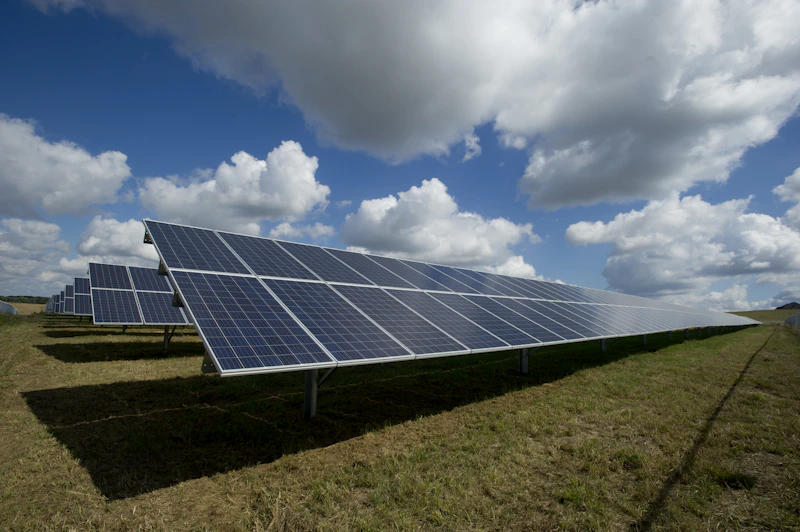
Solar Panels for Your Home: A Complete Buyer's Guide for 2026
Residential solar has never been more affordable. We cover costs, savings, panel types, installation, and the federal tax credit to help you decide if solar is right for your home.

Digital Declutter: How to Clean Up Your Phone, Computer, and Cloud Storage
Digital clutter slows down your devices and your thinking. This step-by-step guide helps you clean up your phone, computer, and cloud storage in one weekend.
Home Battery Storage: Tesla Powerwall vs Enphase vs Generac Compared
Home batteries store solar energy and provide backup power during outages. We compare the three leading systems across capacity, cost, and integration.