
As an Amazon Associate we earn from qualifying purchases. Our deals are community-vetted (Slickdeals + r/buildapcsales), verified to live Amazon listings, and tracked with our own daily price history — never paid placement. Prices change often; always confirm the live price on Amazon. How we pick deals →
Wireless keyboards have closed the gap with wired in every way that matters — latency, battery life, and build quality. The best 2026 wireless keyboards connect reliably across multiple devices, last weeks on a charge, and type with the same satisfying feel as premium wired boards. From the Logitech MX Keys S for productivity professionals to the Keychron K3 Pro for mechanical keyboard enthusiasts, this guide covers the best wireless keyboards for every use case and budget.
Best Overall
Logitech MX Keys S Wireless Keyboard
Our top-rated pick — skip to the full review below or check it on Amazon now.
Quick Picks
1 TOP CHOICES

Logitech MX Keys S Wireless Keyboard
Best wireless keyboard for productivity — backlit with smart backlighting and 3-device multi-pairing
Connection: Bluetooth 5.1 and Logi Bolt USB receiver
Multi-Device: Easy-Switch up to 3 devices
The Logitech MX Keys S is the benchmark for wireless productivity keyboards.
Check Today's PriceOur Testing Methodology
We evaluated each keyboard for wireless reliability and latency, multi-device switching ease, battery life (measured under typical daily use), typing feel and key travel, build quality, software and customization, Bluetooth vs USB receiver performance, backlight quality, and compatibility across Windows, Mac, and mobile platforms.
Comparison Table
9 PRODUCTS COMPARED
← Scroll to compare →
| Product | Best For | Key Spec | Score | |
|---|---|---|---|---|
| Best Overall | Bluetooth 5.1 and Logi Bolt USB receiver | 9.5/10 | View on Amazon | |
| Best for Mac | Bluetooth 5.0 or USB-C wired | 9.3/10 | View on Amazon | |
| Best Mechanical Wireless | 75% compact (no numpad, retains arrow keys) | 9.3/10 | View on Amazon | |
| Best Multi-Device | Bluetooth and Unifying USB receiver | 9/10 | View on Amazon | |
| Best Ergonomic | Split ergonomic with domed design | 8.8/10 | View on Amazon | |
| Best Compact | Compact tenkeyless — no numpad | 9.3/10 | View on Amazon | |
| Best Low-Profile Mechanical | NuPhy low-profile (hotswappable) | 9/10 | View on Amazon | |
| Best Hotswappable Premium | Aluminum CNC machined frame | 9.5/10 | View on Amazon | |
| Best Topre Switch | Topre electrostatic capacitive (45g) | 9/10 | View on Amazon |
Quick Summary
| # | Product | Best For | Score | |
|---|---|---|---|---|
| 1 | Logitech MX Keys S Wireless Keyboard | Best Overall | 9.5/10 | Check Price → |
| 2 | Apple Magic Keyboard with Touch ID | Best for Mac | 9.3/10 | Check Price → |
| 3 | Keychron K3 Pro Wireless Mechanical Keyboard | Best Mechanical Wireless | 9.3/10 | Check Price → |
| 4 | Logitech K780 Multi-Device Wireless Keyboard | Best Multi-Device | 9/10 | Check Price → |
| 5 | Microsoft Sculpt Ergonomic Wireless Keyboard | Best Ergonomic | 8.8/10 | Check Price → |
Wireless Keyboards Reviews
9 PRODUCTS REVIEWED
Logitech MX Keys S Wireless Keyboard
Best for: Best wireless keyboard for productivity — backlit with smart backlighting and 3-device multi-pairing
Rated 9.5/10 by our testing team
The Logitech MX Keys S is the benchmark for wireless productivity keyboards. The spherically-cupped keys (each key has a slight concave dish) provide tactile feedback that aids fast typing without mechanical switches. Smart backlighting activates only when hands approach the keyboard — extending battery life significantly. Logi Bolt provides a reliable 2.4GHz connection when Bluetooth is crowded. The full-size layout with numpad serves spreadsheet users well. Logitech Options+ software enables per-key customization, macros, and workflow integrations.
Best all-around wireless keyboard. If you want a no-compromise typing experience without mechanical switches, this is it.
Why we like it
- Spherical key cups improve typing accuracy and speed
- Smart backlighting extends battery life intelligently
- Dual Bluetooth + Logi Bolt USB receiver
- Logitech Options+ software for deep customization
Flaws
- No mechanical switches — typing feel is subjective vs chiclet preference
- Rechargeable only — no replaceable batteries
- Full-size only — no compact variant (see MX Keys Mini)
Prices checked Jun 28, 2026
Apple Magic Keyboard with Touch ID
Best for: Best wireless keyboard for Mac — Touch ID biometric login with MacBook-matching scissor switches
Rated 9.3/10 by our testing team
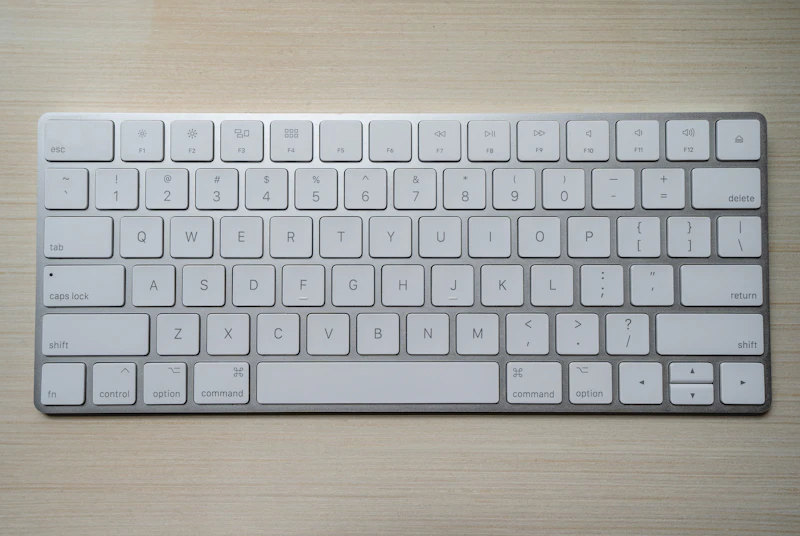
For Mac users, the Apple Magic Keyboard with Touch ID provides the most integrated experience possible. Touch ID eliminates password typing for login, Apple Pay, and app authentication. The scissor mechanism is identical to MacBook Pro keyboards — if you love your MacBook's keyboard feel, this matches it exactly. The Fn row displays Mac-specific symbols (Mission Control, Spotlight, Launchpad) rather than generic icons. USB-C charging doubles as a pairing cable. The one limitation: it only works with Apple devices.
Why we like it
- Touch ID for instant biometric login — eliminates password frustration
- Identical feel to MacBook Pro keyboard
- Mac-specific Fn row with native symbols
- Slim and elegant design
Flaws
- Works only with Apple devices — no Windows compatibility
- Bluetooth only — no USB dongle option for more reliable connection
- No backlight on standard model
Prices checked Jun 28, 2026
Get deals like these in your inbox
Weekly picks, price drops, and exclusive deals — no spam.

Keychron K3 Pro Wireless Mechanical Keyboard
Best for: Best wireless mechanical keyboard — 75% compact layout with hotswappable switches and RGB
Rated 9.3/10 by our testing team
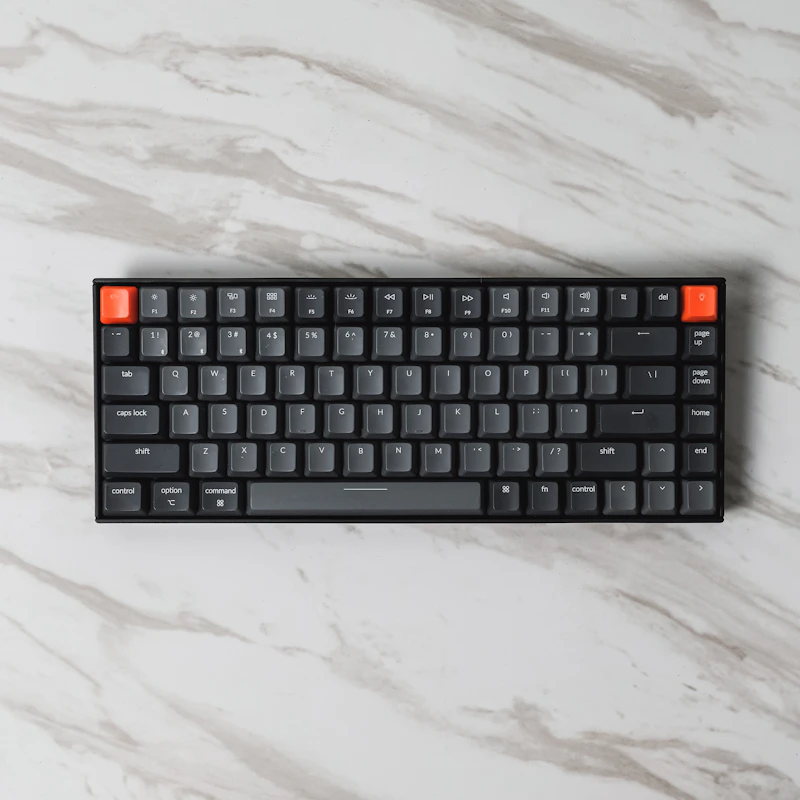
The Keychron K3 Pro is the wireless mechanical keyboard that converted thousands of office workers into mechanical keyboard enthusiasts. The 75% form factor keeps arrow keys and function row in a compact footprint — only 5% larger than 65% keyboards but retaining all commonly used keys. Hotswappable switches let you change the typing feel (clicky blue, tactile brown, linear red) without soldering. Available in Mac layout with Mac-specific keycaps. Bluetooth 5.1 connects to 3 devices. The low-profile switches are quieter than standard mechanical keyboards, making it more office-appropriate.
Why we like it
- Hotswappable switches — change typing feel without tools or soldering
- 75% layout keeps arrows and F-row in small footprint
- Available in Mac or Windows layout
- Bluetooth 3-device multi-pairing and USB-C wired dual mode
Flaws
- RGB reduces battery life significantly when enabled
- Some switch options noisier than chiclet keyboards for open offices
- Build quality below Keychron Q series (mostly plastic)
Prices checked Jun 28, 2026

Logitech K780 Multi-Device Wireless Keyboard
Best for: Best keyboard for typing across multiple devices — built-in device cradle holds phone and tablet
Rated 9/10 by our testing team
The Logitech K780 is designed for users who split their workday across phone, tablet, and computer. The curved slot at the top of the keyboard holds any phone or tablet at an ideal typing angle — eliminating the need for a separate stand. The Easy-Switch keys (1, 2, 3) toggle between three paired devices instantly. The rounded pebble keys are quiet and comfortable for long typing sessions. AA battery power means no charging cable management — batteries last up to 2 years. An unusual but highly practical design for multi-screen workers.
Why we like it
- Built-in device cradle for phone and tablet — eliminates separate stand
- Easy-Switch 3-device toggle with dedicated keys
- AA batteries last up to 24 months
- Quiet rounded keys ideal for office environments
Flaws
- Older key design — not as refined as MX Keys S feel
- Full-size with device cradle takes significant desk space
- No backlight
Prices checked Jun 28, 2026

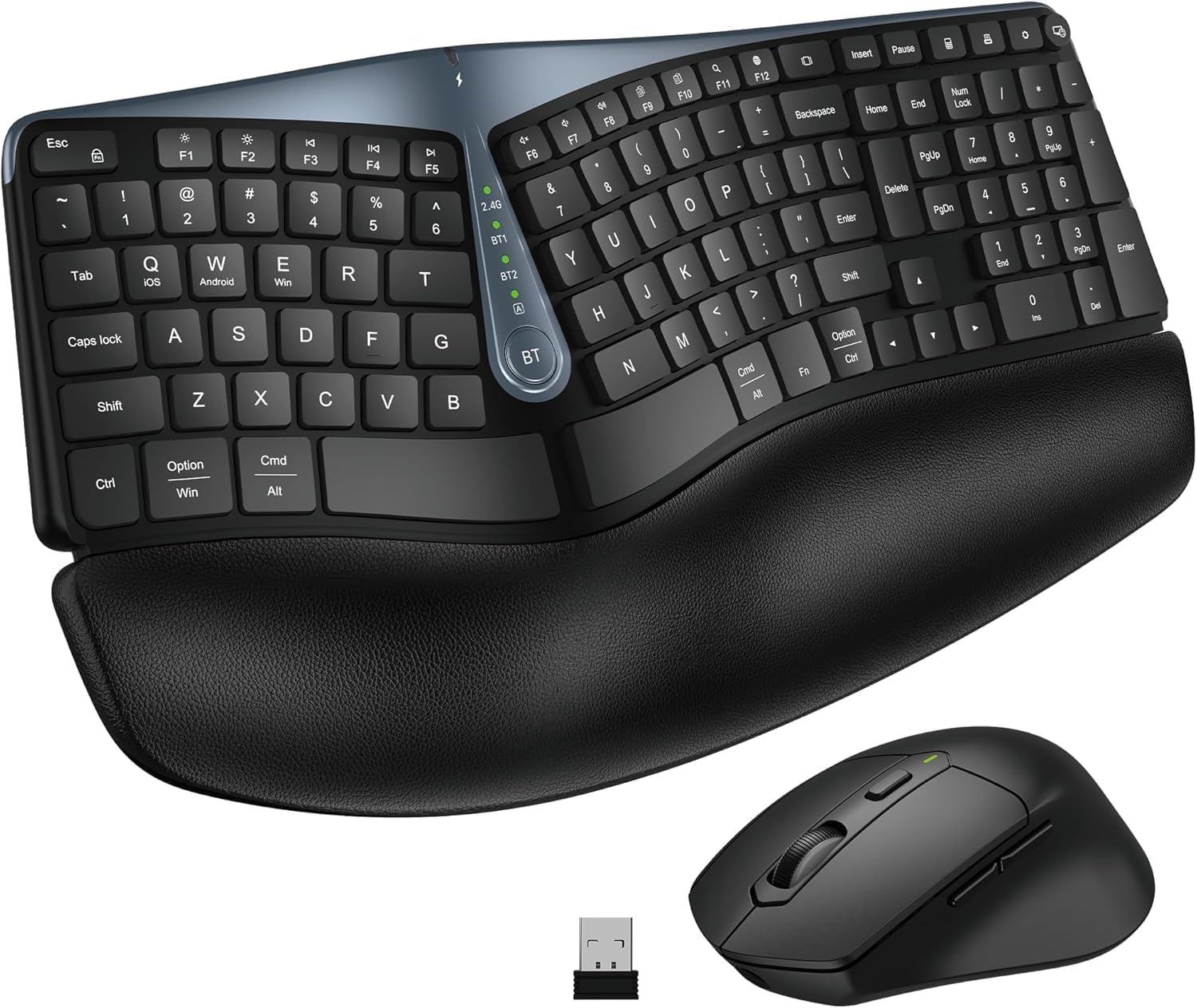
Microsoft Sculpt Ergonomic Wireless Keyboard
Best for: Best ergonomic wireless keyboard — split layout with cushioned palm rest for wrist comfort
The Microsoft Sculpt Ergonomic remains the best mainstream ergonomic keyboard for users who experience wrist or forearm fatigue from straight keyboards. The split layout positions hands at shoulder width and the domed design naturally angles wrists in a more neutral position. The included cushioned palm rest supports the wrists while typing. The separate numpad lets you reposition it (or remove it entirely) to keep the mouse closer to the keyboard's home position. For anyone spending 6+ hours typing daily, the ergonomic benefit is real.
Why we like it
- Split ergonomic layout reduces wrist and forearm strain
- Cushioned palm rest included for wrist support
- Separate numpad for flexible positioning
- Proven ergonomic design over many years
Flaws
- Takes 2-3 weeks to adjust from standard keyboard layout
- Older design — no USB-C charging or multi-device switching
- 2.4GHz only — no Bluetooth connection option
Prices checked Jun 28, 2026
Logitech MX Keys Mini Wireless Keyboard
Best for: Best compact wireless keyboard — tenkeyless MX Keys with smart backlight in smaller footprint
Rated 9.3/10 by our testing team
The MX Keys Mini delivers the same typing experience as the full-size MX Keys S in a tenkeyless compact body. Removing the numpad reduces desk space by roughly 25% and brings the mouse 3-4 inches closer to your body — reducing shoulder strain for mouse-heavy workflows. The spherically-cupped keys, smart backlight, and 3-device Easy-Switch are all preserved from the full-size version. Available in multiple colors including Pale Gray, Rose, and Graphite. The ideal keyboard for laptop users who want a premium desktop typing experience at a desk.
Why we like it
- Same MX Keys typing quality in tenkeyless body
- Brings mouse closer — reduces shoulder strain for right-handed mouse users
- Smart adaptive backlighting extends battery life
- Multiple color options vs limited full-size choices
Flaws
- No numpad — deal-breaker for accountants and spreadsheet users
- Same price as full-size MX Keys S for less keyboard
- Compact layout requires adjustment for numpad users
Prices checked Jun 28, 2026

NuPhy Air75 V2 Low-Profile Mechanical Keyboard
Best for: Best low-profile wireless mechanical keyboard — ultra-thin mechanical switches with hot-swap
Rated 9/10 by our testing team
The NuPhy Air75 V2 is the answer for users who want mechanical switch feel without the tall-key profile of standard mechanical keyboards. The low-profile switches sit at the same height as chiclet keyboards on premium laptops — comfortable for wrist position — while delivering the tactile click and longer key travel that makes mechanical typing satisfying. Hotswappable switches allow customization. The 75% layout retains arrow keys and function row while being smaller than a full-size keyboard.
Why we like it
- Low-profile mechanical switches — tactile without tall key height
- Hotswappable switches for customization
- Bluetooth 3-device and USB-C dual connection
- RGB backlighting looks excellent on low-profile design
Flaws
- Low-profile switches have less pronounced tactile feel than standard height
- More expensive than standard mechanical at same tier
- NuPhy brand less established than Keychron
Prices checked Jun 28, 2026

Keychron Q2 Pro QMK Wireless Mechanical Keyboard
Best for: Best premium wireless mechanical keyboard — full-metal body with QMK and Via support
Rated 9.5/10 by our testing team
The Keychron Q2 Pro bridges the premium mechanical keyboard community with wireless convenience. The CNC aluminum frame delivers a substantial, solid feel that dismisses any notion of it being a budget keyboard. Gasket mounting absorbs typing vibration for a cushioned sound profile. QMK and Via support enable complete key remapping, macro programming, and layer configuration — capabilities usually reserved for enthusiast wired keyboards. For mechanical keyboard enthusiasts who want a premium daily driver that goes from desk to bag wirelessly, the Q2 Pro is the definitive option.
Why we like it
- CNC aluminum frame — premium build quality with weight and rigidity
- QMK and Via support for complete firmware customization
- Gasket mounting for softer typing sound and feel
- Bluetooth wireless on a true enthusiast-grade keyboard
Flaws
- Heavy — aluminum frame makes it less portable than plastic alternatives
- Premium price reflects materials and features
- QMK configuration requires some technical knowledge
Prices checked Jun 28, 2026

HHKB Professional Hybrid Type-S
Best for: Best Topre switch wireless keyboard — the gold standard for programmers and heavy typists
Rated 9/10 by our testing team
The Happy Hacking Keyboard (HHKB) Professional Hybrid Type-S is a cult classic among programmers, writers, and typing enthusiasts. Topre electrostatic capacitive switches have a unique feel that defies comparison — often described as a hybrid between mechanical and membrane, with a smooth pre-travel that bottoms out with a satisfying thock. The Type-S variant adds silencing rings for office-appropriate quiet without killing the tactile feel. The 60% HHKB layout places common keys (Delete, Control) in programmer-optimized positions. Expensive, niche, and deeply satisfying.
Why we like it
- Topre switches — unique typing experience loved by enthusiasts
- Type-S silencing for quiet office use
- 4-device Bluetooth multi-pairing
- Legendary build quality and 50 million keystroke lifespan
Flaws
- Very high price — significant investment
- 60% HHKB layout requires adjustment and learning
- Topre feel is subjective — try before buying if possible
Prices checked Jun 28, 2026
The Bottom Line
The Logitech MX Keys S is the best wireless keyboard for most productivity users — backlit chiclet keys, 3-device multi-pairing, and Logitech's best-in-class software ecosystem. Mac users should look at the Apple Magic Keyboard for seamless integration. Mechanical keyboard enthusiasts will prefer the Keychron K3 Pro for its customizable switches and compact layout.
Best Overall
Logitech MX Keys S Wireless Keyboard
Our #1 recommendation — the best overall pick in this guide.
Still on the fence? Send a gift card.
Skip the guesswork — a Giftcards.com card lets the recipient pick the exact model they want, delivered instantly.
Looking for more pc peripherals options?
Browse all PC Peripherals guides →How to Choose the Best Wireless Keyboards in 2026
BUYING GUIDE
Buying Guide
**Bluetooth vs USB receiver**: Bluetooth connects to more devices (laptops, tablets, phones) without occupying a USB port. USB receivers (Logitech Unifying, Logi Bolt) deliver more reliable, lower-latency connections — preferred for desktop use. Many premium keyboards support both.
**Multi-device switching**: If you type on a desktop, laptop, and tablet, look for keyboards with dedicated device-switch keys. Logitech's Easy-Switch (up to 3 devices) and Keychron's multi-device Bluetooth let you switch targets with one keypress.
**Battery life**: Chiclet keyboards with LED backlighting typically last 2-4 weeks with backlighting on, or months with it off. Mechanical wireless keyboards drain faster due to per-key LEDs. The Logitech MX Keys S claims 10 days with backlight, up to 5 months without.
**Mechanical vs membrane vs scissor switch**: Mechanical switches provide tactile feedback and longer lifespan (50-100 million keystrokes) but are louder. Scissor switches (Apple Magic, Logitech MX Keys) are quiet, thin, and precise. Membrane keyboards are typically mushy but silent and inexpensive.
**Form factor**: Full size (with numpad), tenkeyless (TKL, no numpad), 75%, 65%, and 60% are the common formats. Compact keyboards sacrifice keys for desk space and portability. Consider whether you use the numpad before downsizing.
Best Overall
Logitech MX Keys S Wireless Keyboard
A great example of this in practice — check current price on Amazon.
FAQ
COMMON QUESTIONS
Head-to-Head Comparisons
COMPARE TOP PICKS SIDE BY SIDE
Logitech MX Keys S Wireless Keyboard vs Apple Magic Keyboard with Touch ID
9.5/10 vs 9.3/10 — Close call
Logitech MX Keys S Wireless Keyboard vs Keychron K3 Pro Wireless Mechanical Keyboard
9.5/10 vs 9.3/10 — Close call
Apple Magic Keyboard with Touch ID vs Keychron K3 Pro Wireless Mechanical Keyboard
9.3/10 vs 9.3/10 — Close call
Browse More Guides
RELATED GUIDES


Related Articles
FROM OUR EDITORIAL TEAM
Best Budget Mechanical Keyboards Under $50
Mechanical keyboards used to cost $150+. Now you can get genuine mechanical switches, quality keycaps, and premium typing feel for under $50.
Logitech MX Mechanical vs Apple Magic Keyboard
Mechanical typing vs Apple minimalism. We compared these keyboards for two weeks of full-time office work to find the best typing experience for Mac users.
Mechanical Keyboards in 2026: Budget Boards Are Now Great
The $50-80 mechanical keyboard market has exploded in quality. Budget boards now rival $200 keyboards from three years ago. Here's what changed.