How to Choose the Right Mechanical Keyboard Switch Type
Red, brown, blue — mechanical keyboard switches sound like a paint catalog. Here's what each actually feels like and which matches your typing style.
BestElectronicsReviewed.com is a participant in the Amazon Services LLC Associates Program. We may earn a commission from qualifying purchases made through links on this page, at no extra cost to you.
Mechanical keyboards are worth the upgrade — they feel better, last longer, and can actually improve your typing speed and accuracy. But the switch type you choose determines the entire experience. Pick wrong and you'll hate it. Here's how to pick right.
The Three Main Switch Types
Linear Switches (Cherry MX Red and Equivalents)
Feel: Smooth and consistent from top to bottom. No bump, no click. Like pressing a finger into soft butter.
Sound: Quiet. A soft "thock" when the key bottoms out. The quietest mechanical switch type.
Actuation force: Light (45g for MX Red). Your fingers glide across the keys with minimal resistance.
Best for:
- Gaming (fast, repeated keypresses without fatigue)
- Typing in shared spaces (minimal noise)
- People who bottom out keys (press all the way down)
- Fast typists who don't want resistance slowing them down
Potential downside: No tactile feedback means more accidental keypresses if you type lightly. It's easier to accidentally trigger a key because there's no bump telling you when the keystroke registered.
Tactile Switches (Cherry MX Brown and Equivalents)
Feel: A subtle bump partway through the keypress that tells you the keystroke registered. You can feel exactly when the key activates without pressing all the way to the bottom.
Sound: Moderate. Slightly louder than linear, with a subtle "tck" from the tactile bump. Not loud enough to annoy most coworkers.
Actuation force: Medium (45-55g). Noticeable resistance that gives your fingers something to push against.
Best for:
- All-around typing and general use
- People who want feedback without noise
- Office environments
- The best compromise between typing and gaming
Potential downside: The tactile bump is subtle. Some people find it unsatisfying compared to clicky switches, while others find it distracting compared to linear.
Clicky Switches (Cherry MX Blue and Equivalents)
Feel: A pronounced tactile bump with an audible click at the actuation point. The most dramatic feedback of any switch type.
Sound: Loud. A sharp, satisfying "click" with each keypress. Sounds like a typewriter.
Actuation force: Medium-high (50-60g). The click mechanism adds resistance.
Best for:
- Typists who love audible feedback
- People who work alone or in private offices
- Writers who enjoy the rhythm of typing
- Anyone who finds the typing experience as important as the output
Potential downside: Your coworkers, roommates, and partners will hate you. On conference calls, everyone can hear every keystroke. These are NOT for shared spaces.
Our Recommended Keyboards by Switch Type
Best Linear
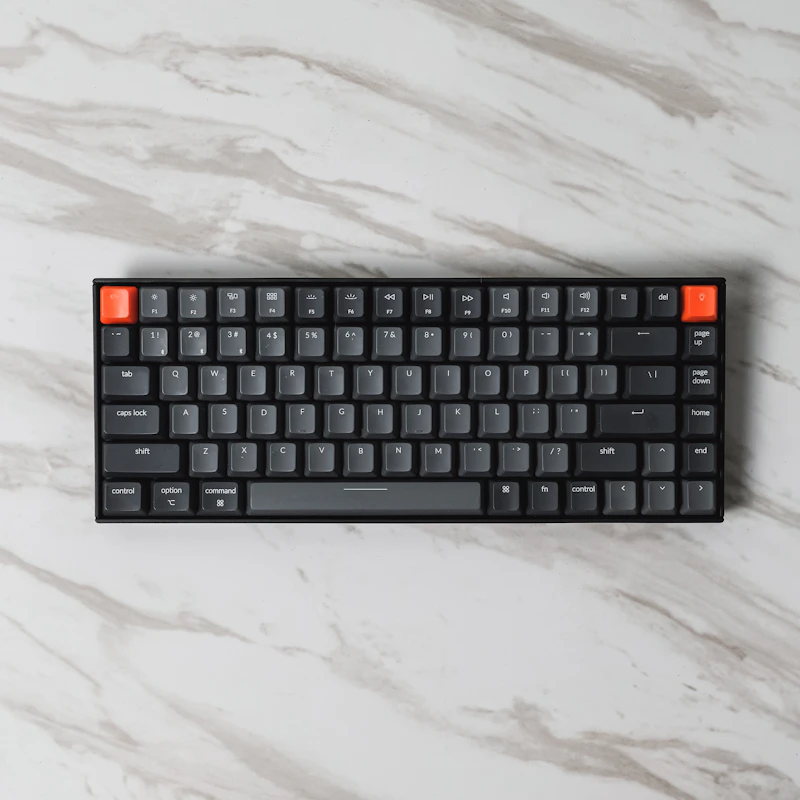
The Keychron K2 (Red Switches) ($89) is a wireless 75% layout with hot-swappable switches (so you can try different switches later without buying a new keyboard), Bluetooth and USB-C, and Mac/Windows compatibility.
Best Tactile
The Keychron V1 (Brown Switches) ($69) is an excellent value with a gasket mount design that softens the typing sound, QMK/VIA firmware for full customization, and a solid aluminum frame.
Best Clicky
The Keychron Q1 (Blue Switches) ($149) has a premium CNC aluminum body, gasket mount, hot-swappable sockets, and south-facing LEDs. If you're going to be loud, do it with style.
Beyond Cherry: The Switch Landscape
Cherry MX switches are the original, but dozens of manufacturers now make compatible switches with different characteristics:
Gateron: Smoother than Cherry at a lower price. Gateron Yellow (linear, 50g) is a community favorite for its creamy smooth feel.
Kailh: Makes everything from ultra-light speed switches for gaming to heavy Box switches with click bars.
Holy Panda: A premium tactile switch beloved by enthusiasts for its pronounced, round tactile bump. Usually $0.50-1.00 per switch.
Hot-swappable keyboards let you try different switches without soldering. Buy a hot-swap board and a few switch tester packs to find your perfect match.
The Switch Selection Flowchart
Do you game more than type? → Linear (Red) Do you type more than game? → Do you work in a shared space? → Yes: Tactile (Brown) / No: Clicky (Blue) or Tactile Do you want the quietest option? → Linear (Red) or Silent Linear (Cherry MX Silent Red) Do you want maximum feedback? → Clicky (Blue) Not sure? → Start with Tactile (Brown). It's the safest all-around choice.
Don't Forget the Keycaps
Stock keycaps on most keyboards are thin ABS plastic that develops a shiny, oily look over time. Upgrading to PBT keycaps improves the feel and sound. A set of PBT double-shot keycaps ($25) transforms the typing experience and never develops shine.
Read our full mechanical keyboard guide →
Read our full keyboard comparison →
As an Amazon Associate, BestElectronicsReviewed earns from qualifying purchases. All products are independently selected by our editorial team.
Recommended Products
Top picks from our buying guides
Related Articles
Updated: How to Organize Your Desk Setup for Maximum Productivity (Spring 2026)
Updated: How to Organize Your Desk Setup for Maximum Productivity (Spring 2026) — expert analysis and tested recommendations from BestElectronicsReviewed.
TipsEssential Tech for Architects and Designers
Architecture demands serious computing power for CAD and rendering, precise displays for color accuracy, and collaborative tools that bridge the studio and job site.
TipsMust-Have Tech for Interior Designers
Modern interior design blends creativity with technology. From color-accurate displays to 3D rendering tools, here's the tech that gives designers a competitive edge.