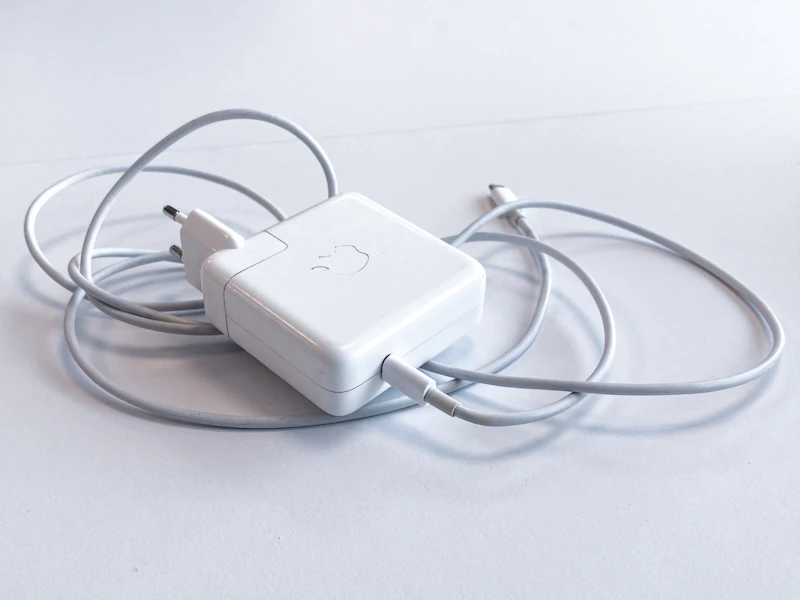
How to Use One USB-C Charger for All Your Devices
One GaN charger can replace 3-4 separate adapters. Here's how USB-C Power Delivery works and which charger replaces your entire charging pile.
BestElectronicsReviewed.com is a participant in the Amazon Services LLC Associates Program. We may earn a commission from qualifying purchases made through links on this page, at no extra cost to you.
Look at your desk right now. You probably have separate chargers for your laptop, phone, tablet, and earbuds. That's four wall adapters, four cables, and four things to pack when you travel. USB-C Power Delivery makes it possible to replace all of them with a single charger and a few cables.
How USB-C Power Delivery Works
USB-C PD (Power Delivery) is a protocol that lets the charger and device negotiate the right voltage and wattage. When you plug your phone into a 100W charger, the phone says "I need 9V at 3A" (27W), and the charger provides exactly that. When you plug your laptop into the same charger, the laptop says "I need 20V at 5A" (100W), and the charger provides that instead.
This negotiation happens automatically. You can't damage a device by plugging it into a charger with a higher wattage rating. The device only draws what it needs.
Choosing the Right Wattage
What Your Devices Need
| Device | Typical Wattage | |--------|----------------| | Phone | 20-30W | | Tablet (iPad) | 20-30W | | Earbuds/Watch | 5-10W | | Nintendo Switch | 39W | | MacBook Air | 30-35W | | MacBook Pro 14" | 70W | | MacBook Pro 16" | 140W | | Most Windows ultrabooks | 45-65W | | Gaming laptops | 100-240W |
The Rule: Buy for Your Hungriest Device
If your most power-hungry device is a MacBook Air (35W), a 45W charger covers everything with headroom. If it's a MacBook Pro 14" (70W), get a 100W charger.
Our Top Charger Picks
Best Single-Port (Minimal and Portable)
The Anker Nano II 45W ($27) is barely larger than a standard phone charger but puts out enough power for a MacBook Air, iPad, or any phone. GaN technology keeps it cool and compact.
Best Multi-Port (Replace Everything)
The Anker Prime 100W 3-Port ($59) has two USB-C ports and one USB-A port. You can charge your laptop at full speed on one port while simultaneously charging your phone and earbuds on the others. When using multiple ports, it intelligently distributes power (e.g., 65W to laptop + 20W to phone + 15W to earbuds).
Best for Travel
The Anker 735 GaNPrime 65W ($35) has foldable prongs, three ports, and handles most laptops. It weighs just 4.2 ounces — lighter than most laptop chargers alone.
The Cable Side
A USB-C charger is only as good as the cable you pair it with. Not all USB-C cables support high wattage.
What to Look For
-
For phones/tablets (up to 60W): Any USB-C cable with PD support works. The Anker 543 USB-C Cable ($12 for a 2-pack) handles up to 100W and 480Mbps data.
-
For laptops (60-100W): You need a cable rated for at least 100W (5A). Most quality 100W cables also support fast data transfer.
-
For 140W+ devices: You need a USB-C cable with EPR (Extended Power Range) support. These are less common and more expensive.
Cable Length Matters
Longer cables have more resistance, which can reduce charging speed slightly. For maximum speed, use cables 6 feet or shorter. If you need 10+ feet, get a cable explicitly rated for your required wattage at that length.
Setting Up Your Universal Charging Station
- Place the charger centrally. Near your desk or nightstand where all devices congregate.
- Get the right cables. One for your laptop (if you have one), one for your phone, one for your tablet or earbuds case.
- Remove all old chargers. Seriously — put them in a drawer. Commit to the single-charger life.
- Travel with just the multi-port charger. One charger, two cables, and you can charge everything in any hotel room.
Common Questions
Will a 100W charger charge my phone faster than a 30W charger? No. Your phone negotiates its maximum charging speed regardless of the charger's maximum rating. A 100W charger delivers the same speed to your phone as a 30W charger — it just has extra capacity available for other devices.
Can I charge my laptop and phone simultaneously? Yes, with a multi-port charger. The charger splits its total wattage between active ports. A 100W charger might deliver 65W to your laptop and 35W to your phone at the same time.
Will this work with my iPhone? Yes. iPhones 15 and later have USB-C ports. Older iPhones with Lightning ports need a USB-C to Lightning cable, which also supports fast charging via PD.
Read our full USB-C charger guide →
Read our full USB-C cable guide →
As an Amazon Associate, BestElectronicsReviewed earns from qualifying purchases. All products are independently selected by our editorial team.
Recommended Products
Top picks from our buying guides
Related Articles
Updated: How to Organize Your Desk Setup for Maximum Productivity (Spring 2026)
Updated: How to Organize Your Desk Setup for Maximum Productivity (Spring 2026) — expert analysis and tested recommendations from BestElectronicsReviewed.
TipsEssential Tech for Architects and Designers
Architecture demands serious computing power for CAD and rendering, precise displays for color accuracy, and collaborative tools that bridge the studio and job site.
TipsMust-Have Tech for Interior Designers
Modern interior design blends creativity with technology. From color-accurate displays to 3D rendering tools, here's the tech that gives designers a competitive edge.