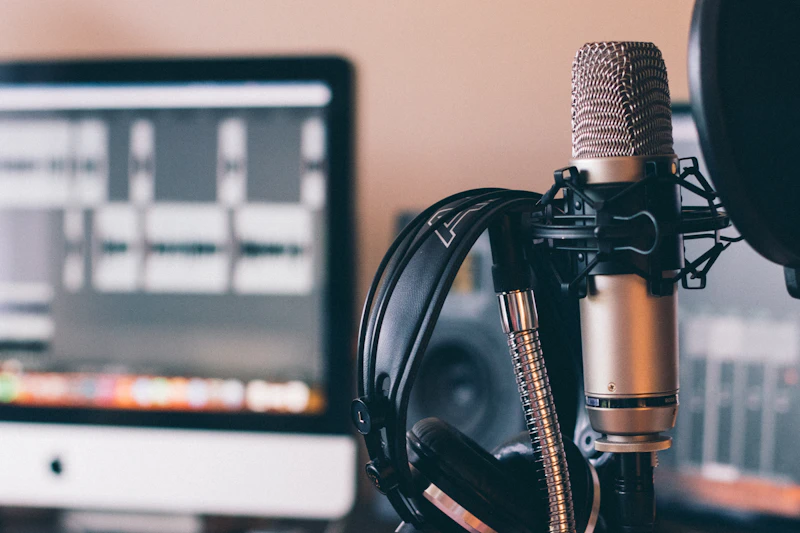
How to Set Up a Podcast Recording Space at Home
You don't need a professional studio to sound professional. Here's how to build a podcast recording setup from scratch for under $300.
BestElectronicsReviewed.com is a participant in the Amazon Services LLC Associates Program. We may earn a commission from qualifying purchases made through links on this page, at no extra cost to you.
Professional podcasts don't require professional studios. Some of the most popular podcasts in the world are recorded in bedrooms and closets. What they do require is the right microphone, proper acoustic treatment, and correct gain staging. Here's how to build a complete setup for under $300.
The Microphone: Your Most Important Investment
USB Microphones (Simplest Setup)
A USB mic plugs directly into your computer — no audio interface needed. For solo podcasters or anyone who wants simplicity, this is the way to go.
Our pick: The Samson Q2U ($69) is the best podcasting mic under $100. It's a dynamic mic (meaning it rejects room noise naturally), has both USB and XLR outputs (so you can upgrade to an interface later without buying a new mic), and includes a desk stand, windscreen, and cables.
Premium option: The Shure MV7 ($179) is the gold standard USB podcast mic. Auto-leveling technology adjusts your gain in real time so you never clip, and the touch panel lets you adjust monitoring and gain without touching your computer.
XLR Microphones (Better Quality, More Flexibility)
XLR mics require an audio interface (a box that converts the analog mic signal to digital). This adds cost and complexity but gives you better sound quality and more control.
Best XLR mic for podcasting: The Shure SM58 ($99) has been the industry standard for decades. It's nearly indestructible, sounds great on voices, and rejects ambient noise effectively.
Best budget interface: The Focusrite Scarlett Solo ($119) has one XLR input, one instrument input, and rock-solid drivers. It's the most recommended interface for solo creators.
Acoustic Treatment: Making Your Room Sound Good
The Problem
Untreated rooms have echo, reverb, and hollow-sounding audio. Hard surfaces (walls, desks, windows) reflect sound waves back to the microphone, making your recording sound like you're in a bathroom.
The Free Fix: Record in the Right Room
Walk around your home while clapping your hands. The room with the least echo is your best recording space. Small rooms with soft furnishings (carpeted bedroom, walk-in closet) are naturally better than large rooms with hard floors.
The Cheap Fix: Blankets and Foam
Hang moving blankets ($25 for a 2-pack) on the walls behind and beside your microphone. These dense, heavy blankets absorb reflections remarkably well. Many professional studios use them.
For a more permanent solution, acoustic foam panels ($22 for a 12-pack of 12x12 panels) stick to the wall with adhesive strips. Place them on the wall directly behind your mic, the wall behind where you sit, and the two side walls at your sitting position.
The Desk-Level Fix: Reflection Filter
A microphone isolation shield ($39) wraps around the back of your microphone, absorbing reflections before they reach the mic. It's not as effective as treating the room, but it helps when room treatment isn't possible.
The Recording Setup
Microphone Position
- Distance: 6-8 inches from your mouth. Too close creates proximity effect (boomy bass). Too far picks up room noise.
- Angle: Slightly off-axis (not pointing straight at your mouth). This reduces plosives (the "p" and "b" sounds that create a burst of air).
- Height: Level with your mouth. Don't look down at the mic — it changes your voice quality and strains your neck.
A Boom Arm Is Essential
Don't use a desk stand. They transfer every desk bump, keyboard tap, and mouse click into the recording. A boom arm ($34) suspends the mic in front of your mouth without touching the desk surface.
Pop Filter
A pop filter catches the burst of air from plosive consonants. The Aokeo Professional Pop Filter ($8) clips to any boom arm and eliminates pops without affecting your voice.
Recording Software (Free)
Audacity (free, Windows/Mac/Linux) handles recording and basic editing for most podcasters. Record, edit, export to MP3 — done.
GarageBand (free, Mac only) is more intuitive and includes noise reduction, compression, and EQ presets designed for voice.
Riverside.fm or Zencastr (free tiers available) record remote interviews in studio quality by recording each participant locally and syncing the files.
The Budget Breakdown
The $150 Setup
| Item | Cost | |------|------| | Samson Q2U USB mic | $69 | | Boom arm | $34 | | Pop filter | $8 | | Acoustic foam (12-pack) | $22 | | Total | $133 |
The $300 Setup
| Item | Cost | |------|------| | Shure MV7 USB/XLR mic | $179 | | Boom arm | $34 | | Pop filter | $8 | | Moving blankets (2-pack) | $25 | | Headphones for monitoring | $30 | | Total | $276 |
Both setups produce podcast-quality audio that's indistinguishable from shows recorded in professional studios. The difference between a $133 setup and a $10,000 studio isn't sound quality — it's convenience and aesthetics.
Read our full USB microphone guide →
Read our full headphone guide →
As an Amazon Associate, BestElectronicsReviewed earns from qualifying purchases. All products are independently selected by our editorial team.
Recommended Products
Top picks from our buying guides
Related Articles
Updated: How to Organize Your Desk Setup for Maximum Productivity (Spring 2026)
Updated: How to Organize Your Desk Setup for Maximum Productivity (Spring 2026) — expert analysis and tested recommendations from BestElectronicsReviewed.
TipsEssential Tech for Architects and Designers
Architecture demands serious computing power for CAD and rendering, precise displays for color accuracy, and collaborative tools that bridge the studio and job site.
TipsMust-Have Tech for Interior Designers
Modern interior design blends creativity with technology. From color-accurate displays to 3D rendering tools, here's the tech that gives designers a competitive edge.