

As an Amazon Associate we earn from qualifying purchases. Our deals are community-vetted (Slickdeals + r/buildapcsales), verified to live Amazon listings, and tracked with our own daily price history — never paid placement. Prices change often; always confirm the live price on Amazon. How we pick deals →
Apple's MacBook lineup has never been stronger. The M4 chip generation — spanning MacBook Air, MacBook Pro 14-inch, and MacBook Pro 16-inch — delivers desktop-class performance in notebooks that stay cool, quiet, and all-day capable. Whether you're a student buying your first Mac, a developer who needs serious compute, or a creative who demands color-accurate displays and maximum memory bandwidth, there's a MacBook configuration built for you. We've tested the full lineup to help you choose the right model and spec without overpaying.
Best Overall
Apple MacBook Air 13" M4 (16GB/256GB)
Our top-rated pick — skip to the full review below or check it on Amazon now.
Quick Picks
1 TOP CHOICES

Apple MacBook Air 13" M4 (16GB/256GB)
Best MacBook for most people — faster than any Windows ultrabook at this price
Chip: Apple M4 (10-core CPU, 10-core GPU)
Memory: 16GB unified memory
The MacBook Air M4 sets the new standard for what a $999 laptop should be.
Check Today's PriceOur Testing Methodology
We tested each MacBook with Cinebench R24, Geekbench 6, Final Cut Pro export benchmarks, Logic Pro session stress tests, and real-world workflows including 4K video editing, Python compilation, and Xcode builds. Battery life was measured at 50% brightness with a mix of web browsing and document work. Display quality was assessed with a colorimeter for sRGB and P3 coverage.
Comparison Table
10 PRODUCTS COMPARED
← Scroll to compare →
| Product | Best For | Key Spec | Score | |
|---|---|---|---|---|
| Best Overall | Apple M4 (10-core CPU, 10-core GPU) | 9.5/10 | View on Amazon | |
| Best for Most Buyers | Apple M4 (10-core CPU, 10-core GPU) | 9.5/10 | View on Amazon | |
| Best Large-Screen Laptop | Apple M4 (10-core CPU, 10-core GPU) | 9.2/10 | View on Amazon | |
| Best Large-Screen Value | Apple M4 (10-core CPU, 10-core GPU) | 9.2/10 | View on Amazon | |
| Best Air for Power Users | Apple M4 (10-core CPU, 10-core GPU) | 9.3/10 | View on Amazon | |
| Best Pro for Most | Apple M4 (10-core CPU, 10-core GPU) | 9.4/10 | View on Amazon | |
| Best for Developers & Creatives | Apple M4 Pro (12-core CPU, 20-core GPU) | 9.7/10 | View on Amazon | |
| Best Large-Screen Pro Air | Apple M4 (10-core CPU, 10-core GPU) | 9.2/10 | View on Amazon | |
| Best for Video Editors | Apple M4 Pro (14-core CPU, 20-core GPU) | 9.7/10 | View on Amazon | |
| Best Workstation Laptop | Apple M4 Max (14-core CPU, 32-core GPU) | 9.5/10 | View on Amazon |
Quick Summary
| # | Product | Best For | Score | |
|---|---|---|---|---|
| 1 | Apple MacBook Air 13" M4 (16GB/256GB) | Best Overall | 9.5/10 | Check Price → |
| 2 | Apple MacBook Air 13" M4 (16GB/512GB) | Best for Most Buyers | 9.5/10 | Check Price → |
| 3 | Apple MacBook Air 15" M4 (16GB/256GB) | Best Large-Screen Laptop | 9.2/10 | Check Price → |
| 4 | Apple MacBook Air 15" M4 (16GB/512GB) | Best Large-Screen Value | 9.2/10 | Check Price → |
| 5 | Apple MacBook Air 13" M4 (24GB/1TB) | Best Air for Power Users | 9.3/10 | Check Price → |
MacBooks Reviews
10 PRODUCTS REVIEWED
Apple MacBook Air 13" M4 (16GB/256GB)
Best for: Best MacBook for most people — faster than any Windows ultrabook at this price
Rated 9.5/10 by our testing team
The MacBook Air M4 sets the new standard for what a $999 laptop should be. The M4 chip is 30%+ faster than M3, the base model now ships with 16GB (not 8GB) of unified memory, and battery life is a genuine all-day 18 hours. The fanless design stays silent under all workloads — it only throttles under sustained heavy load, which the Air wasn't designed for anyway. For students, remote workers, and light to moderate creative professionals, this is the best laptop money can buy at any price.
This is the laptop we recommend to almost everyone who asks. Fast, light, quiet, all-day battery, and genuinely affordable for what you get.
Why we like it
- M4 chip outperforms all Windows ultrabooks at this price
- 16GB base memory — finally adequate for modern use
- 18-hour real-world battery life
- Silent fanless design
Flaws
- 256GB storage is tight for heavy users — upgrade to 512GB
- No ProMotion 120Hz display
- Throttles under sustained extended workloads
Prices checked Jun 28, 2026
Apple MacBook Air 13" M4 (16GB/512GB)
Best for: Same M4 Air with 512GB — the sweet spot for users who keep projects on device
Rated 9.5/10 by our testing team
The 512GB upgrade from 256GB is the single most impactful configuration choice on the MacBook Air. macOS itself takes ~20GB, then add apps, Xcode, photos, projects — 256GB fills faster than you expect. 512GB gives comfortable headroom without jumping to the more expensive 1TB tier. Same chip, same display, same battery as the base model. This is the configuration we'd buy ourselves.
Why we like it
- 512GB removes the storage anxiety of the base model
- Same blazing M4 chip and 18-hour battery
- Still exceptional value vs Windows competition
- 4 color options
Flaws
- No 120Hz display
- Still fanless — not for sustained extreme workloads
Prices checked Jun 28, 2026
Get deals like these in your inbox
Weekly picks, price drops, and exclusive deals — no spam.

Apple MacBook Air 15" M4 (16GB/256GB)
Best for: Best 15" laptop for people who want more screen without the MacBook Pro price
Rated 9.2/10 by our testing team
The 15-inch Air M4 is the best large-screen laptop at any price. You get 6 more inches of screen real estate, the same M4 chip, same battery life, and the same fanless design — just wider. Perfect for users who work primarily at desks or carry a bag rather than backpacking, and who want the extra real estate for side-by-side windows. Note: it's heavier (3.3 lbs vs 2.7 lbs for the 13-inch).
Why we like it
- 15.3" display — more screen for the same chip price premium
- 18-hour battery in a larger chassis
- Same M4 performance as 13-inch Air
- Louder 6-speaker sound system
Flaws
- Heavier than 13-inch at 3.3 lbs
- 256GB storage is tight — upgrade to 512GB
- No ProMotion 120Hz
Prices checked Jun 28, 2026

Apple MacBook Air 15" M4 (16GB/512GB)
Best for: Best 15" laptop for professionals who need screen space and comfortable storage
Rated 9.2/10 by our testing team
If you want the 15-inch MacBook Air (and you should, if you don't need portability above all else), get the 512GB configuration. The 15-inch screen is wide enough to run documents, browser, and reference material simultaneously without constant switching. 512GB storage rounds it into a machine you won't outgrow for 4-5 years.
Why we like it
- 15.3" for comfortable multi-window workflows
- 512GB comfortable for 4-5 year ownership
- All-day 18-hour battery in large-chassis form
- Best-in-class trackpad and keyboard
Flaws
- Heavier than 13-inch
- No 120Hz ProMotion
- Fanless throttles under heavy sustained load
Prices checked Jun 28, 2026

Apple MacBook Air 13" M4 (24GB/1TB)
Best for: Best MacBook Air for developers, video editors, and power users who stay fanless
Rated 9.3/10 by our testing team
24GB of unified memory transforms the MacBook Air into a capable machine for serious professional work. With 24GB, you can run Xcode with simulators, have 20+ Chrome tabs open, use Lightroom with large catalogs, or run smaller ML models locally — all without memory pressure. Combined with 1TB storage, this is the best MacBook Air for professionals who want the lightest possible machine without compromising capability.
Why we like it
- 24GB handles serious professional workloads
- 1TB storage fits large project archives
- Lightest Mac with this much memory
- No fan noise ever — silent under all loads you'll realistically run
Flaws
- Expensive for a fanless machine
- Long sustained workloads will throttle — Pro is better for those
Prices checked Jun 28, 2026

Apple MacBook Pro 14" M4 (16GB/512GB)
Best for: Best MacBook Pro for professionals who need sustained performance and ProMotion display
Rated 9.4/10 by our testing team
The MacBook Pro 14-inch M4 justifies its premium with three things the Air can't match: an active fan that allows sustained peak performance without throttling, the Liquid Retina XDR display with ProMotion 120Hz, and the built-in HDMI port + SD card reader. If your work involves sustained video exports, large Xcode builds, or you need the best possible display quality, the step up from Air to Pro is worth it. The M4 (non-Pro chip) version is the entry point to the Pro lineup.
Why we like it
- Active cooling — never throttles under sustained load
- Liquid Retina XDR with ProMotion 120Hz
- Built-in HDMI 2.1 and SD card reader
- Up to 24-hour battery
Flaws
- Heavier and thicker than Air
- Base 16GB RAM same as Air — consider M4 Pro for more memory bandwidth
- Expensive step up from Air for casual users
Prices checked Jun 28, 2026

Apple MacBook Pro 14" M4 Pro (24GB/512GB)
Best for: Best MacBook for developers, video editors, and 3D artists who need serious sustained performance
Rated 9.7/10 by our testing team
The M4 Pro chip is where Apple's professional machines truly separate from everything else on the market. 24GB of high-bandwidth unified memory paired with a 20-core GPU handles 4K ProRes video editing, large Xcode projects with multiple simulators, and complex 3D scenes without breaking a sweat. The 12-core CPU has both performance and efficiency cores perfectly balanced for demanding workflows. For developers and creative professionals, this is the most capable laptop per dollar on the market.
This is what we use in our own editorial lab. The M4 Pro 14-inch hits the sweet spot of performance, portability, and capability.
Why we like it
- M4 Pro chip is significantly faster than M4 for sustained workloads
- 24GB high-bandwidth memory handles demanding professional workflows
- 20-core GPU for GPU-accelerated creative applications
- ProMotion 120Hz XDR display is best-in-class
Flaws
- Expensive
- Compact 14-inch chassis means smaller screen for price
Prices checked Jun 28, 2026
Apple MacBook Air 15" M4 (24GB/512GB)
Best for: Best MacBook for professionals wanting a large screen without carrying a Pro's extra weight
Rated 9.2/10 by our testing team
The 15-inch Air with 24GB occupies an interesting sweet spot: big screen, 24GB memory for serious multitasking, 512GB storage, but still fan-free and 3.3 lbs. It's the machine for professionals who want the screen real estate of a 15-inch MacBook Pro but don't need active cooling for their workflows. Perfect for designers who work in browser + Figma + Slack all day, or developers who compile in short bursts rather than sustained hours-long builds.
Why we like it
- Large 15.3" display with 24GB memory for power multitasking
- Fanless — completely silent always
- 18-hour battery in large chassis
- Lighter than 15-inch MacBook Pro
Flaws
- No ProMotion 120Hz display
- No HDMI or SD card slot
- Fanless throttles under heavy sustained compute
Prices checked Jun 28, 2026
Apple MacBook Pro 16" M4 Pro (24GB/512GB)
Best for: Best laptop for 4K/6K video editing, 3D rendering, and music production
Rated 9.7/10 by our testing team
The 16-inch MacBook Pro M4 Pro is the machine for professionals who need the largest display, the most sustained power, and the best speakers in any MacBook. The 16.2-inch Liquid Retina XDR display is the best laptop display panel money can buy — 1600 nits peak, P3 wide color, ProMotion 120Hz. The six-speaker sound system with force-cancelling woofers is closer to a studio monitor than a laptop speaker. Video editors, musicians, and motion graphics artists will love this machine.
Why we like it
- 16.2" best-in-class display: 1600 nits, ProMotion 120Hz, P3
- Six-speaker spatial audio system
- Maximum sustained performance in 16-inch thermal envelope
- Up to 24-hour battery in a powerhouse laptop
Flaws
- Heavy at 5.0 lbs — less portable than 14-inch
- Very expensive
- 512GB fills fast for video work — consider 1TB
Prices checked Jun 28, 2026

Apple MacBook Pro 16" M4 Max (36GB/1TB)
Best for: Best laptop workstation for ML engineers, 8K video editors, and high-end 3D artists
Rated 9.5/10 by our testing team
The M4 Max MacBook Pro is a desktop workstation crammed into a 16-inch chassis. The 32-core GPU has more compute than many desktop GPUs, making it genuinely competitive for ML inference, CoreML training, and GPU-accelerated rendering. 36GB unified memory is shared between CPU and GPU — for ML workloads, this shared pool allows running large models locally that would require expensive cloud compute. At $3,499+, it's for professionals who would otherwise need a Mac Pro or external GPU setup.
Why we like it
- 32-core GPU — closest thing to workstation GPU in a laptop
- 36GB memory pool for large ML models and 8K video
- No performance throttling under any workload
- Best laptop for Apple Neural Engine ML inference
Flaws
- Very expensive
- Heavy at 5.0 lbs
- Overkill for all but the most demanding workflows
Prices checked Jun 28, 2026
The Bottom Line
The MacBook Air M4 is the best laptop for most people — period. It outperforms most Windows ultrabooks at a lower price with 18-hour battery life. Spend up only if your workflow genuinely demands the ProMotion display, active cooling, or extra memory bandwidth of the MacBook Pro.
Best Overall
Apple MacBook Air 13" M4 (16GB/256GB)
Our #1 recommendation — the best overall pick in this guide.
Still on the fence? Send a gift card.
Skip the guesswork — a Giftcards.com card lets the recipient pick the exact model they want, delivered instantly.
Looking for more laptops & ultrabooks options?
Browse all Laptops & Ultrabooks guides →How to Choose the Best MacBooks in 2026
BUYING GUIDE
Buying Guide
Air vs. Pro is the core decision. The MacBook Air M4 handles everything except sustained peak workloads — it throttles under extended CPU/GPU stress because it's fanless. If you regularly push the CPU for more than 20 minutes (long video exports, large code compilations, 3D rendering), the MacBook Pro's fan-cooled M4 or M4 Pro chip will consistently outperform it. Memory matters: 16GB is the minimum for modern macOS, 24GB is ideal for most professionals, 32GB+ is for power users running VMs or handling massive datasets. Storage: the 256GB base models are tight — budget at least 512GB unless you work primarily from external storage.
Best Overall
Apple MacBook Air 13" M4 (16GB/256GB)
A great example of this in practice — check current price on Amazon.
FAQ
COMMON QUESTIONS
Head-to-Head Comparisons
COMPARE TOP PICKS SIDE BY SIDE
Apple MacBook Air 13" M4 (16GB/256GB) vs Apple MacBook Air 13" M4 (16GB/512GB)
9.5/10 vs 9.5/10 — Close call
Apple MacBook Air 13" M4 (16GB/256GB) vs Apple MacBook Air 15" M4 (16GB/256GB)
9.5/10 vs 9.2/10 — Clear winner
Apple MacBook Air 13" M4 (16GB/512GB) vs Apple MacBook Air 15" M4 (16GB/256GB)
9.5/10 vs 9.2/10 — Clear winner
Browse More Guides
RELATED GUIDES






Related Articles
FROM OUR EDITORIAL TEAM

MacBook Air M5 vs Dell XPS 14: Ultrabook Showdown
Apple's latest Air against Dell's premium ultrabook. We compared performance, display, battery life, and daily usability for professionals and students.
MacBook Air vs Dell XPS 13: Best Ultrabook in 2026
The two best ultrabooks go head to head. We compare the M4 MacBook Air and Dell XPS 13 on performance, battery life, display, and value to help you pick the right one.
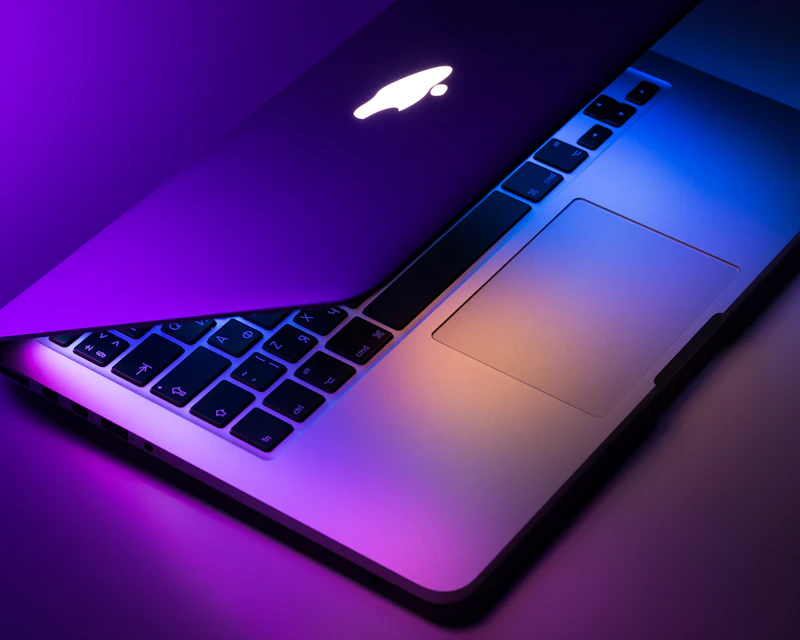
M4 MacBook Air Review: The Laptop Most People Should Buy
Apple's M4 MacBook Air delivers stunning performance, all-day battery life, and a fanless design that makes it the default recommendation for nearly everyone.